

Add images to showcase your products.
Image Requirements
| Specification | Limit |
|---|---|
| Format | PNG, JPG, GIF |
| Maximum file size | 5 MB per image |
| Maximum images | 10 per product |
| Aspect ratio | Square (1:1) recommended |
Uploading Images
- Edit the product
- Scroll to the Media card
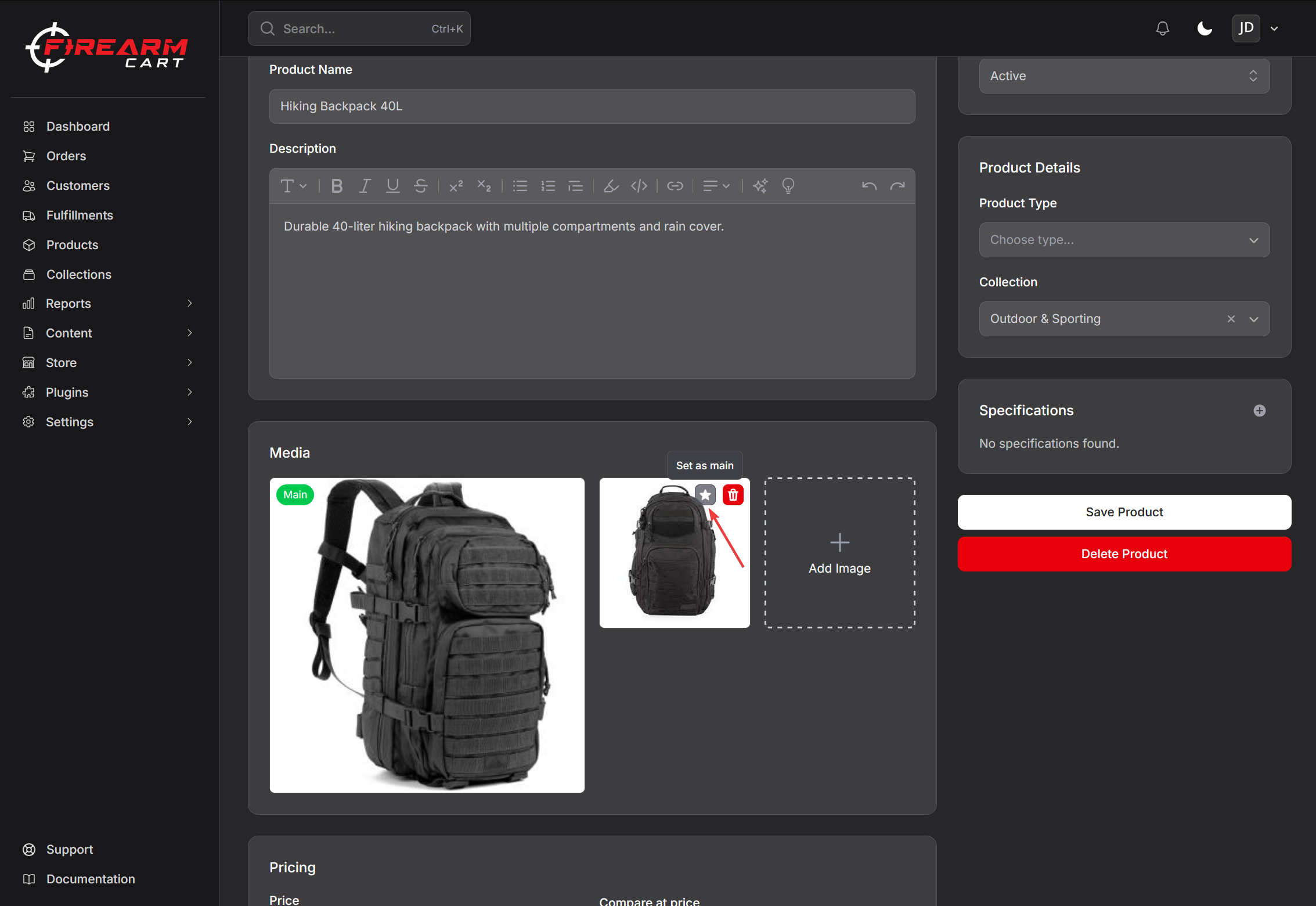
- Click the drop area (“Drag and drop images here, or click to select files” when the product has none, Add Image once it does) or drag files onto it
- Wait for the upload to complete — images are saved as soon as they upload, so no separate save is needed
Bulk Upload
Select or drag multiple files at once to upload them all. Once the product has 10 images, the upload area disappears.
Managing Images
Setting the Main Image
The first image is the main/featured image. It is shown larger in the Media card with a Main badge.
- Hover over another image
- Click the star (Set as main) button
- Confirm — the change applies immediately
The main image displays in:
- Product listings
- Cart
- Product page (default)
Deleting Images
- Hover over the image
- Click the trash button
- Confirm deletion — the image is removed immediately
Warning: Deleted images cannot be recovered.
Variant Images
Each variant carries one image, assigned from the variant’s own page:
- Upload the images to the product
- Open the variant from the Variants table
- In the Variant Image card, click Select Image from Product and pick one — or drop a new image onto the card to upload and assign it in one step
The assignment applies immediately. When customers select a variant, its image displays.
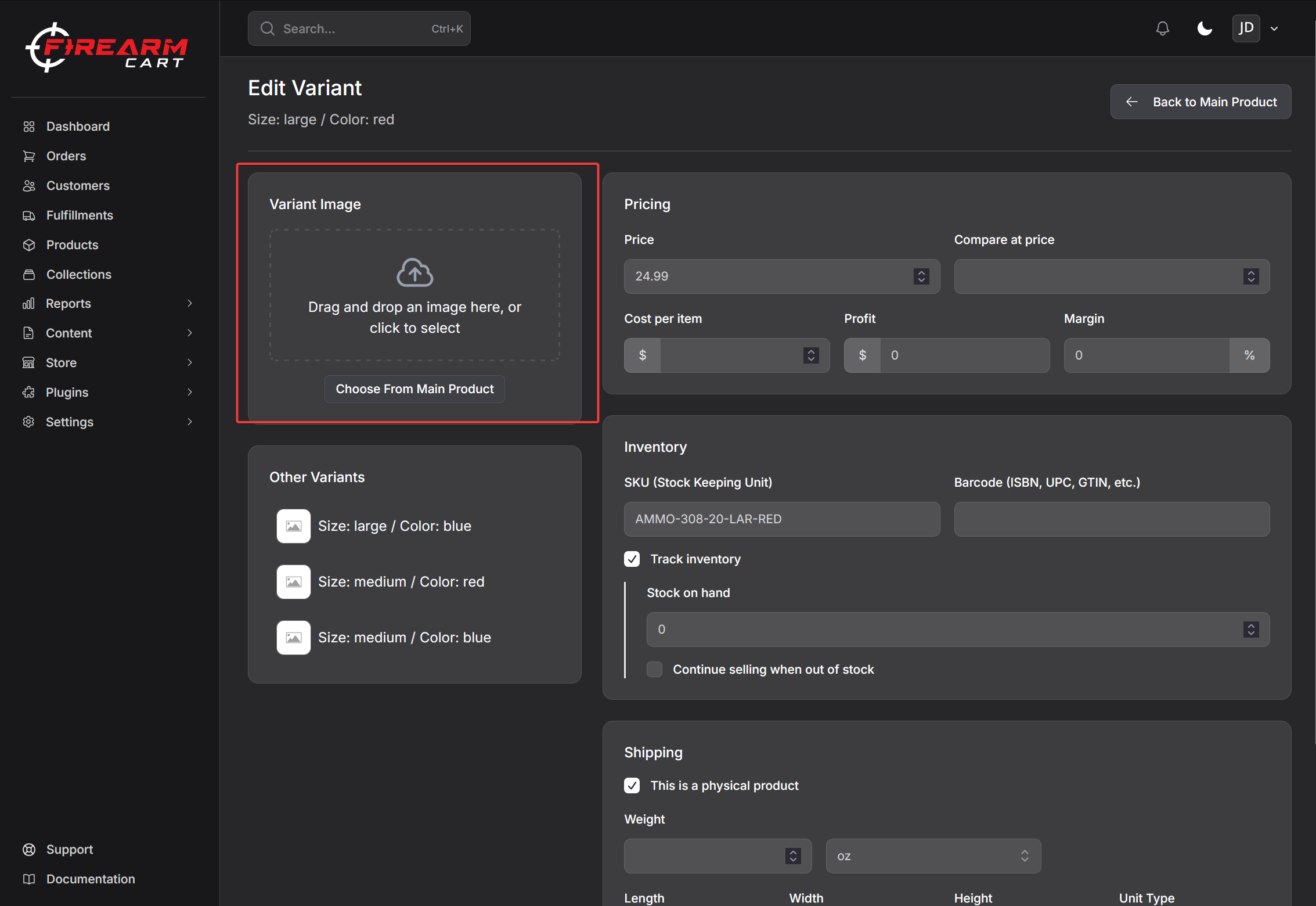
Image Optimization
FirearmCart automatically:
- Generates smaller versions of every product image — thumb (100 x 100), medium (300 x 300), and big (600 x 600)
- Serves images from a CDN
Photography Tips
Recommended Angles
| Angle | Purpose |
|---|---|
| Right side | Primary view |
| Left side | Alternate view |
| Top-down | Shows controls |
| 45-degree | Dynamic angle |
| Detail shots | Texture, features |
Best Practices
- Use consistent lighting
- White or neutral background
- High resolution source files
- Multiple angles (3-5 images per product)
Troubleshooting
Images Not Uploading
- Check each file is 5 MB or smaller
- Verify the file format (PNG, JPG, or GIF)
- Check the product does not already have 10 images
- Try a different browser
Images Not Displaying
- Verify upload completed
- Clear browser cache
- Re-upload the image
Related Documentation
- Creating Products - Basic product setup
- Product Variants - Variant images