

Product Variants
Create variants for products that come in different options like colors, calibers, or configurations.
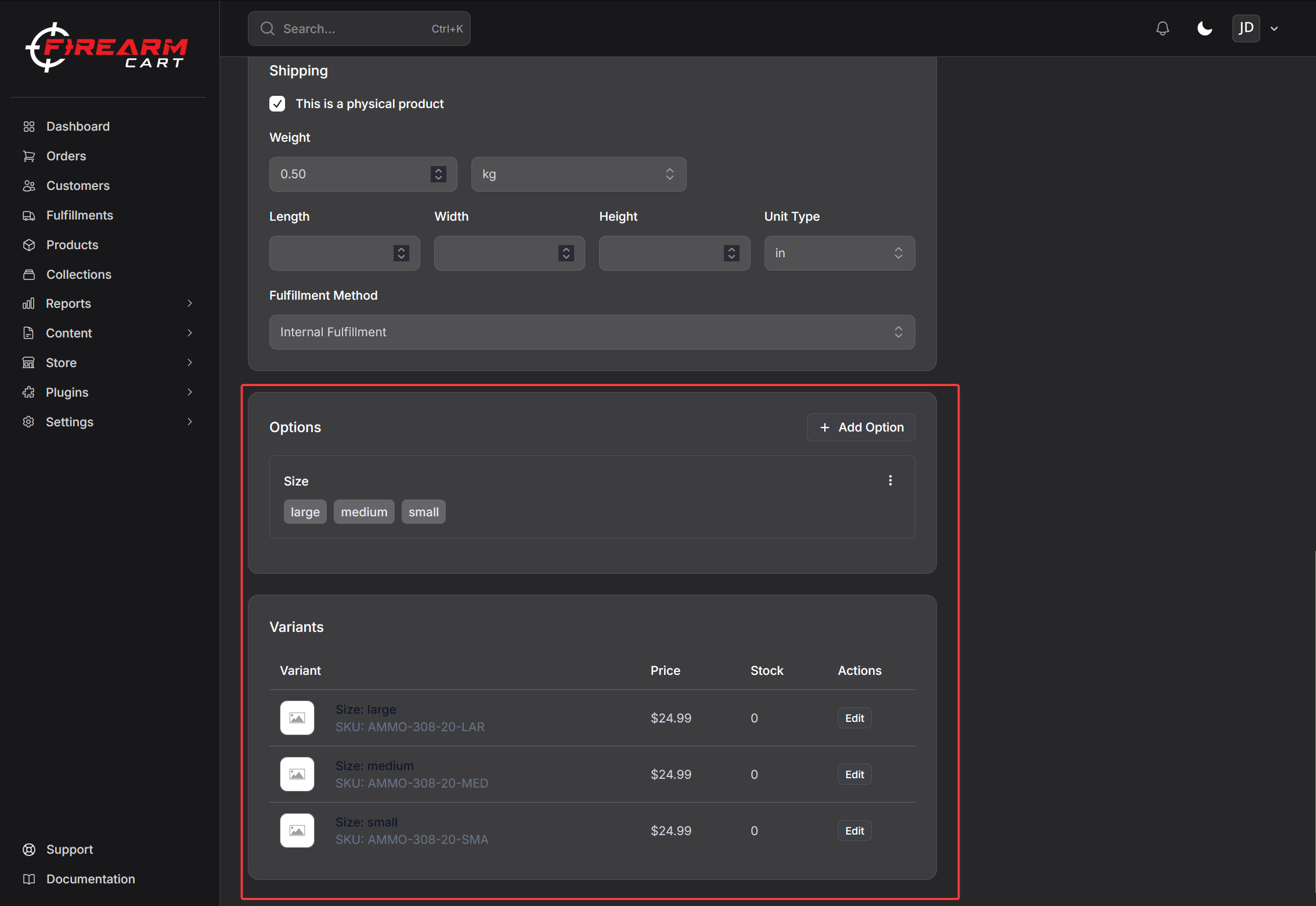
Understanding Variants
Variants are different versions of the same product:
| Product | Option | Variants |
|---|---|---|
| Glock 19 Gen 5 | Color | Black, FDE, Gray |
| AR-15 Lower | Configuration | Stripped, Complete |
| 9mm Ammo | Quantity | 50 rd, 500 rd, 1000 rd |
When to Use Variants
Use variants when:
- Same product with different options (color, size, caliber)
- Customers select an option at checkout
- You want one product page for all options
Create separate products when:
- Fundamentally different products
- Different descriptions needed
- Different images entirely
Creating Variants
Step 1: Add Options
- Edit the product
- Scroll to Options section
- Click Add Option
- Enter option name (e.g., "Color")
- Add values (e.g., "Black", "FDE", "Gray")
- Save
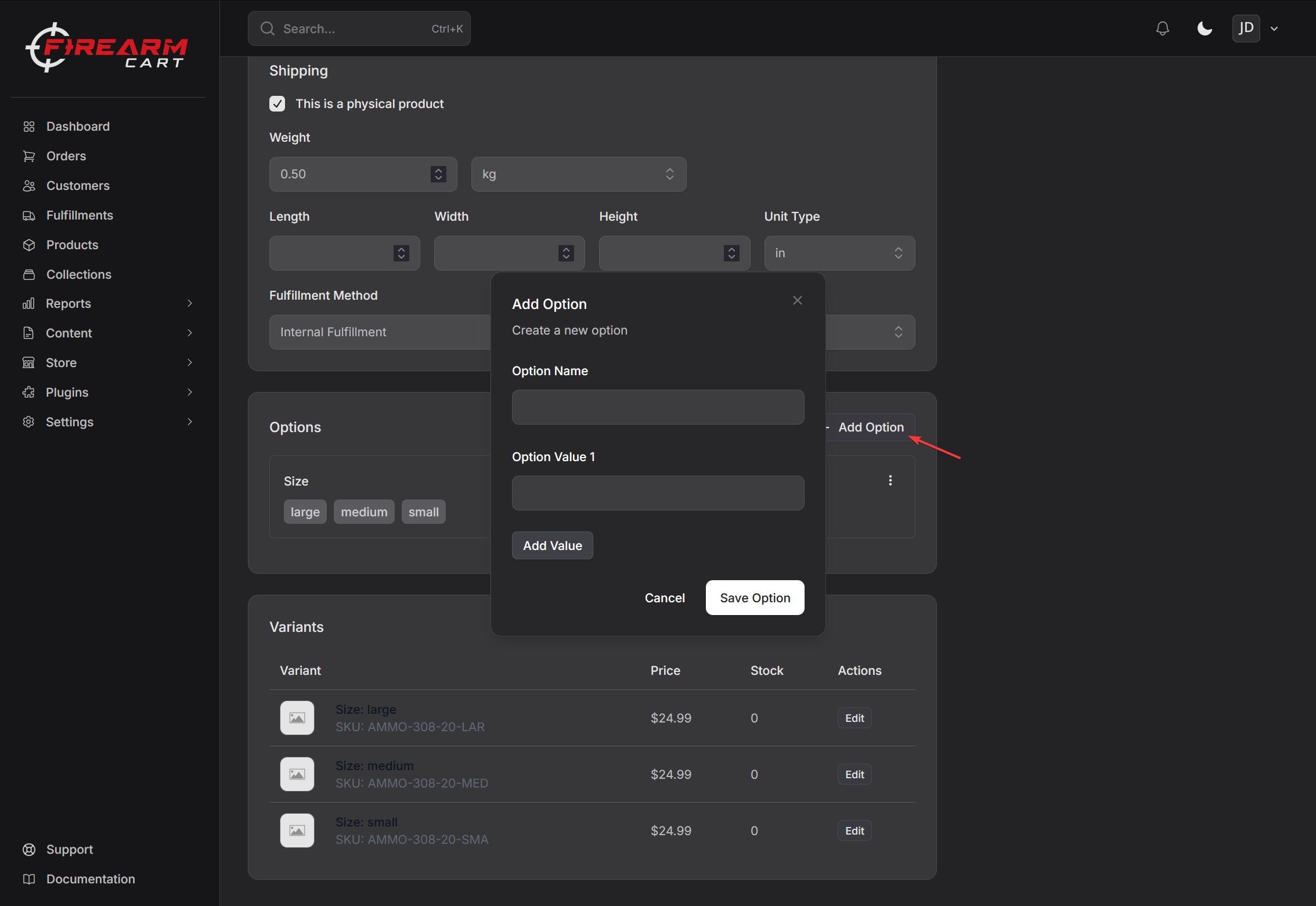
Step 2: Variants Are Created
After saving options, variants are automatically generated:
| Options | Variants Created |
|---|---|
| 3 colors | 3 variants |
| 3 colors × 2 sizes | 6 variants |
Limit: Maximum 3 option types and 100 variants per product.
Editing Variants
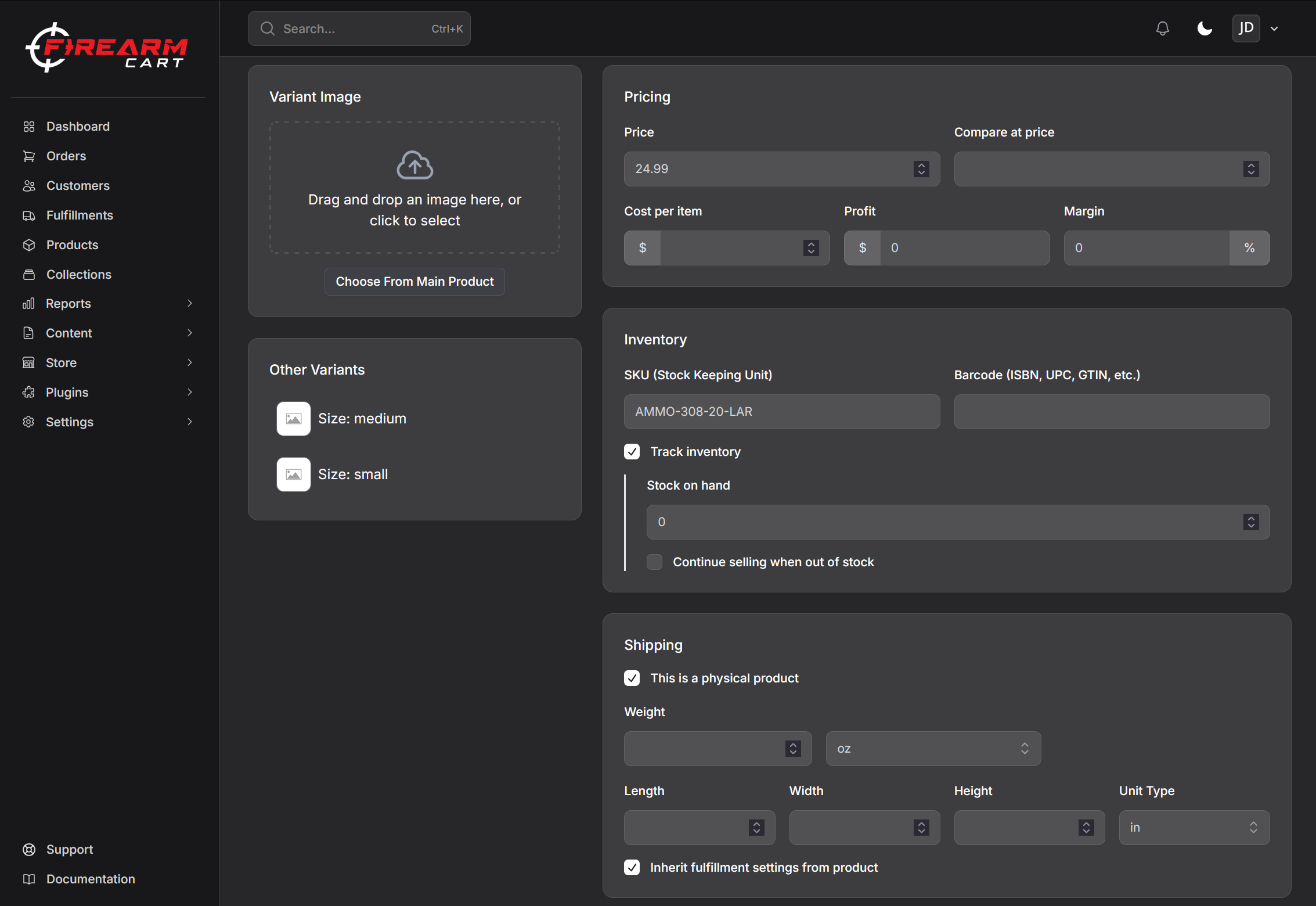
Click on a variant to edit its details:
| Field | Description |
|---|---|
| SKU | Unique identifier (auto-generated suffix) |
| Price | Can differ from base price |
| Compare at Price | Sale pricing |
| Cost per Item | Your cost |
| Barcode | UPC/EAN |
| Stock Quantity | Inventory for this variant |
| Weight | Can override product weight |
| Dimensions | Can override product dimensions |
Variant Pricing
Each variant can have its own price:
| Variant | Price |
|---|---|
| Glock 19 Black | $549.99 |
| Glock 19 FDE | $569.99 |
| Glock 19 Gray | $569.99 |
Variant Inventory
Track stock separately for each variant:
| Variant | SKU | Stock |
|---|---|---|
| Glock 19 Black | GLK19-BLK | 25 |
| Glock 19 FDE | GLK19-FDE | 8 |
| Glock 19 Gray | GLK19-GRY | 0 |
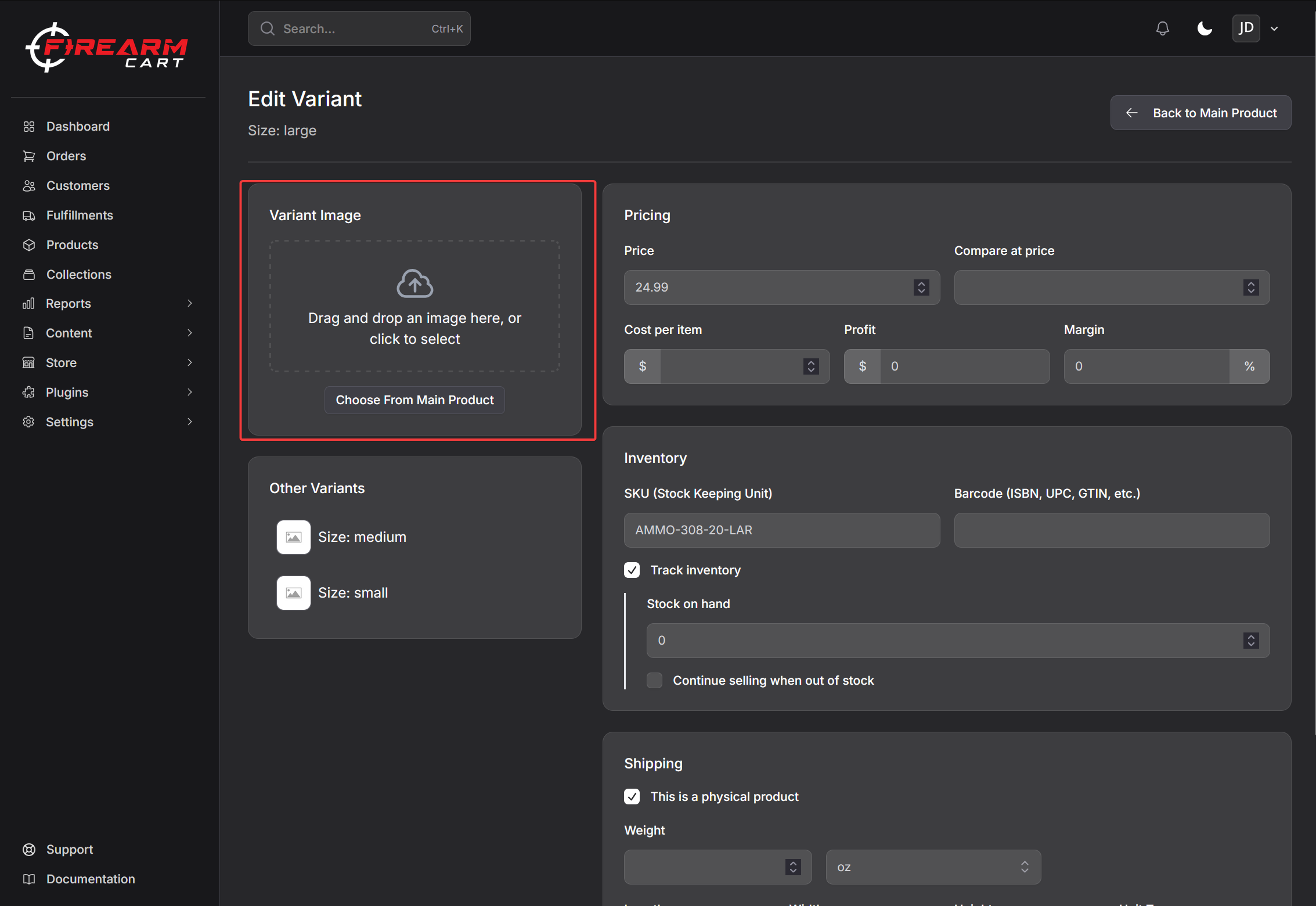
Variant Images
Assign specific images to variants:
- Upload images to the product
- Open the variant
- Select which images belong to this variant
- Save
When customers select a variant, the correct image displays.
Variant Fulfillment
Each variant can have its own fulfillment settings:
- Inherit from product - Use product's fulfillment type
- Custom - Set different fulfillment for this variant
Managing Options
Editing Options
- Find the option in the Options section
- Click to edit
- Change name or values
- Save
Deleting Options
- Click the delete button on the option
- Confirm deletion
Warning: Deleting options removes associated variants and their data.
Examples
Firearm with Color Options
Product: Glock 19 Gen 5
| Option | Values |
|---|---|
| Color | Black, FDE, Gray |
Creates 3 variants with individual pricing and stock.
Ammunition with Quantity Options
Product: Federal 9mm
| Option | Values |
|---|---|
| Quantity | 50 Rounds, 500 Rounds, 1000 Rounds |
Creates 3 variants with different prices per quantity.
Related Documentation
- Creating Products - Basic product setup
- Inventory - Stock management
- Product Media - Images for variants