

Payment Providers
Connect a payment provider to accept credit card payments from customers. FirearmCart supports firearm-friendly payment processors.
Why Firearm-Friendly Processors?
Standard processors like PayPal and Stripe prohibit firearm sales. Using them can result in:
- Account termination without warning
- Funds held for months
- Chargebacks and disputes
Our supported processors specialize in the firearm industry and won't shut down your account.
Supported Providers
| Provider | Description |
|---|---|
| Fortis | Full-featured processor with easy onboarding |
| Authorize.Net | Established processor for online payments |
| NMI | Flexible gateway for card processing |
| Sandbox | Simulated processor for testing checkout — no real charges |
Adding a Payment Provider
Step 1: Get Your Credentials
First, open an account with one of the supported providers. They will provide you with API credentials.
Step 2: Add the Provider
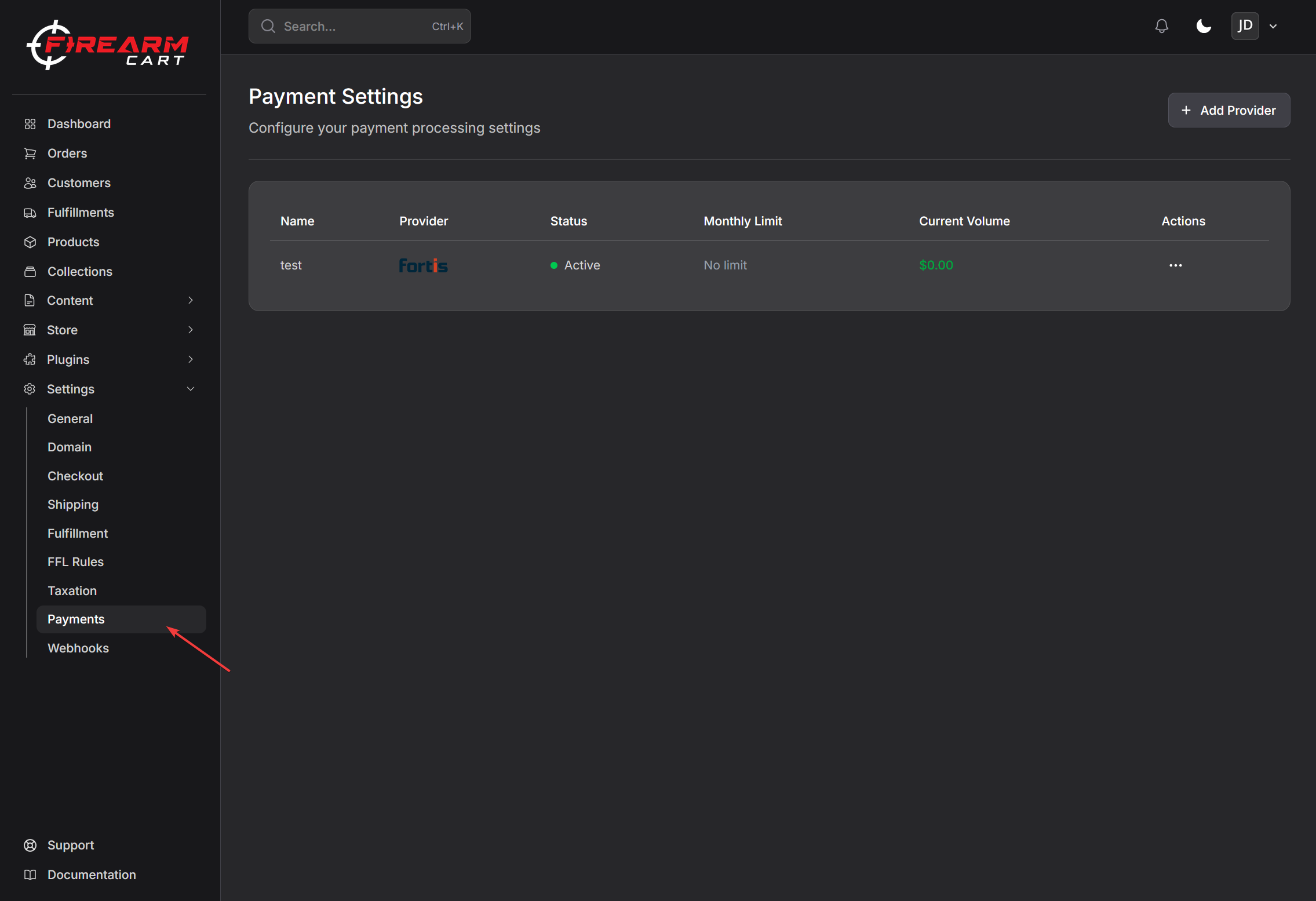
- Go to Settings > Payments
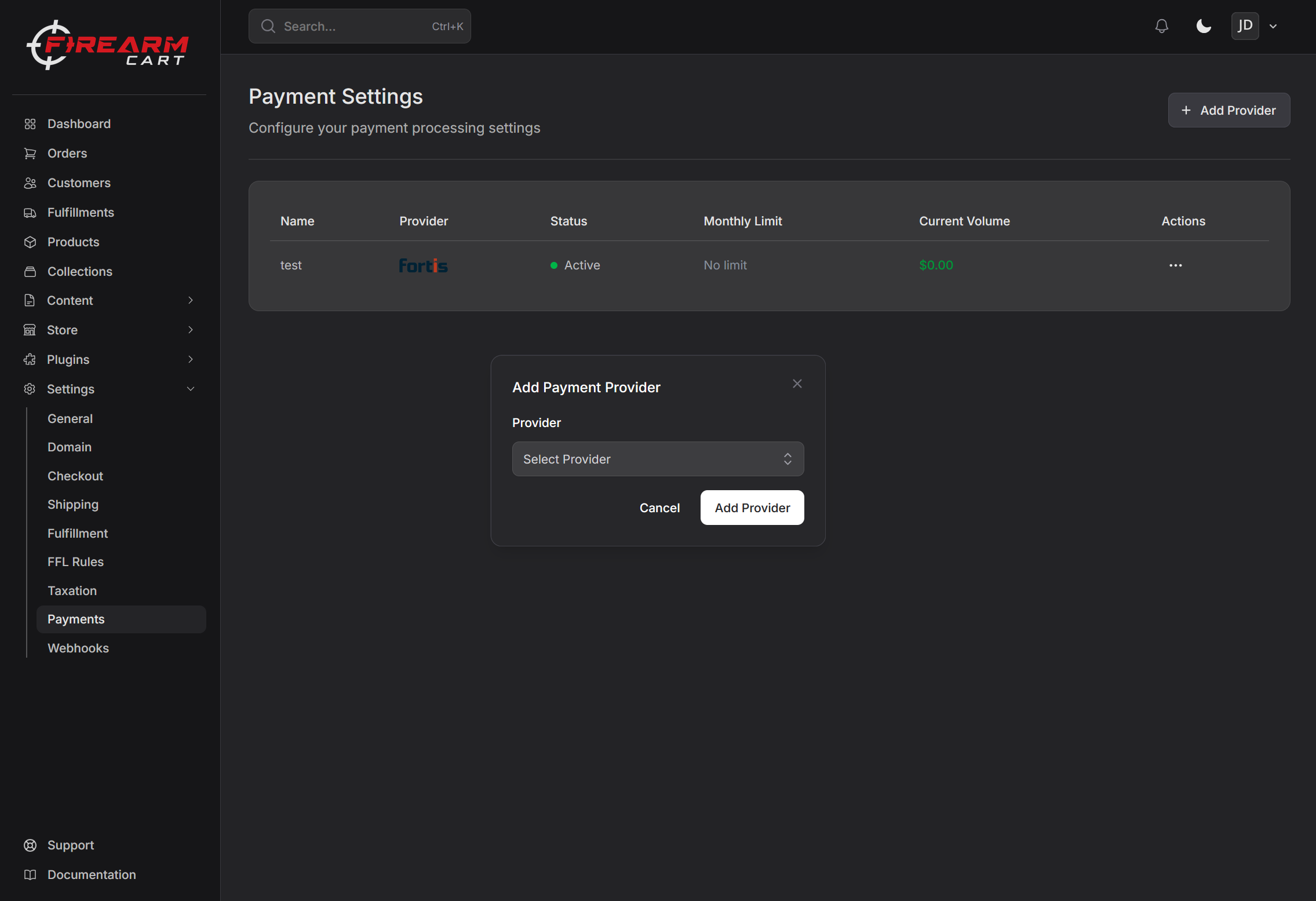
- Click Add Provider
- Select your provider (Fortis, Authorize.Net, or NMI)
- Enter your API credentials
- Click Save
Step 3: Configure Settings
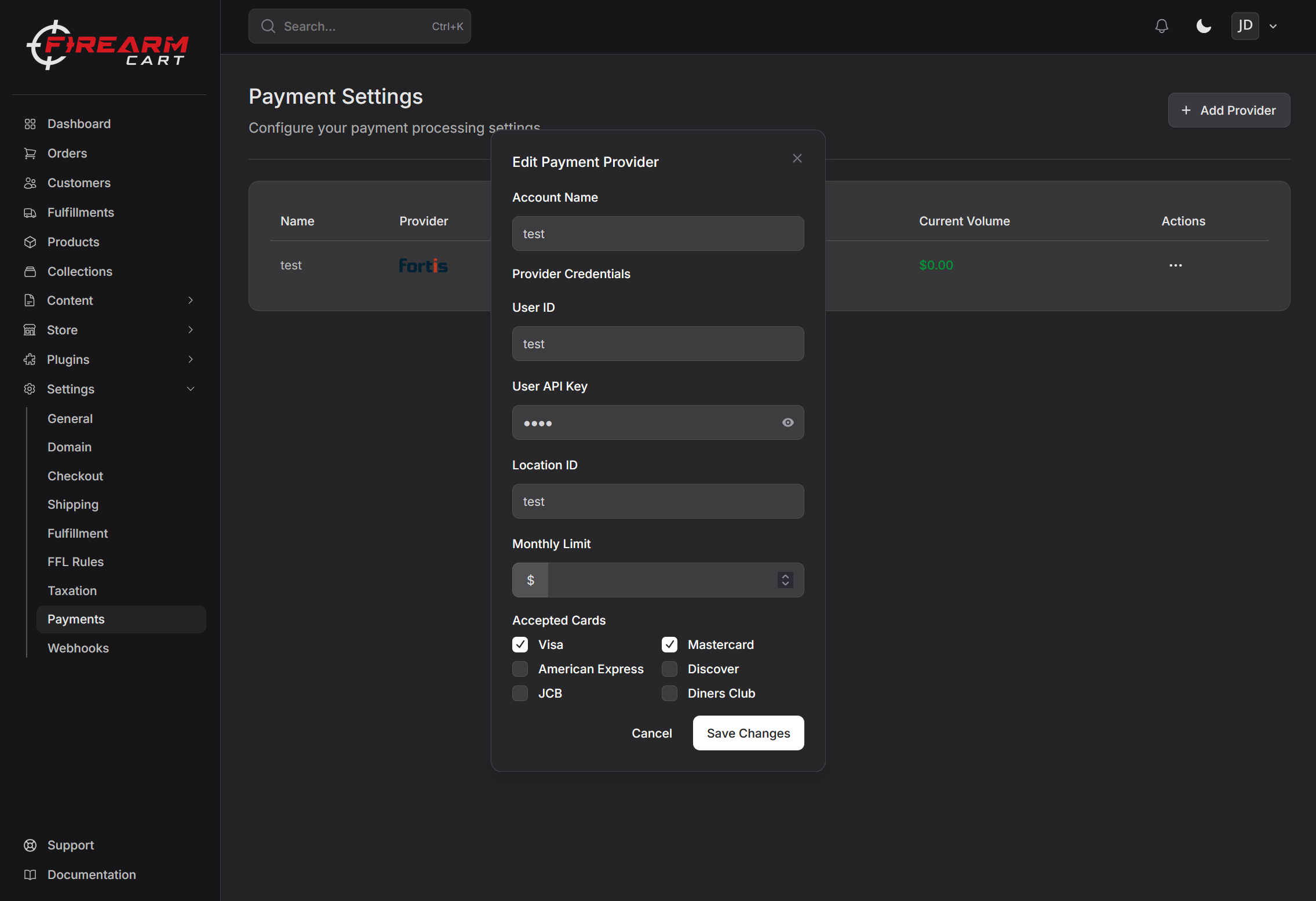
After adding a provider, you can configure:
- Accepted card types - Choose which cards to accept
- Transaction limit - Set a monthly limit if needed
Step 4: Activate
Toggle the provider to Active to start accepting payments.
Fortis Onboarding
Fortis offers a streamlined onboarding process directly within FirearmCart.
- Go to Settings > Payments
- Click Add Provider
- Select Fortis
- Complete the onboarding form with your credentials
- Save Changes
Your business information is pre-filled to make the process faster.
Managing Providers
Viewing Your Providers
Go to Settings > Payments to see all connected payment providers.
Editing a Provider
- Click on a provider
- Update credentials or settings
- Click Save
Activating/Deactivating
- Active - Provider is used for checkout
- Inactive - Provider is not available at checkout
Deleting a Provider
- Click on the provider
- Click Delete
- Confirm deletion
Note: You cannot delete a provider with pending transactions.
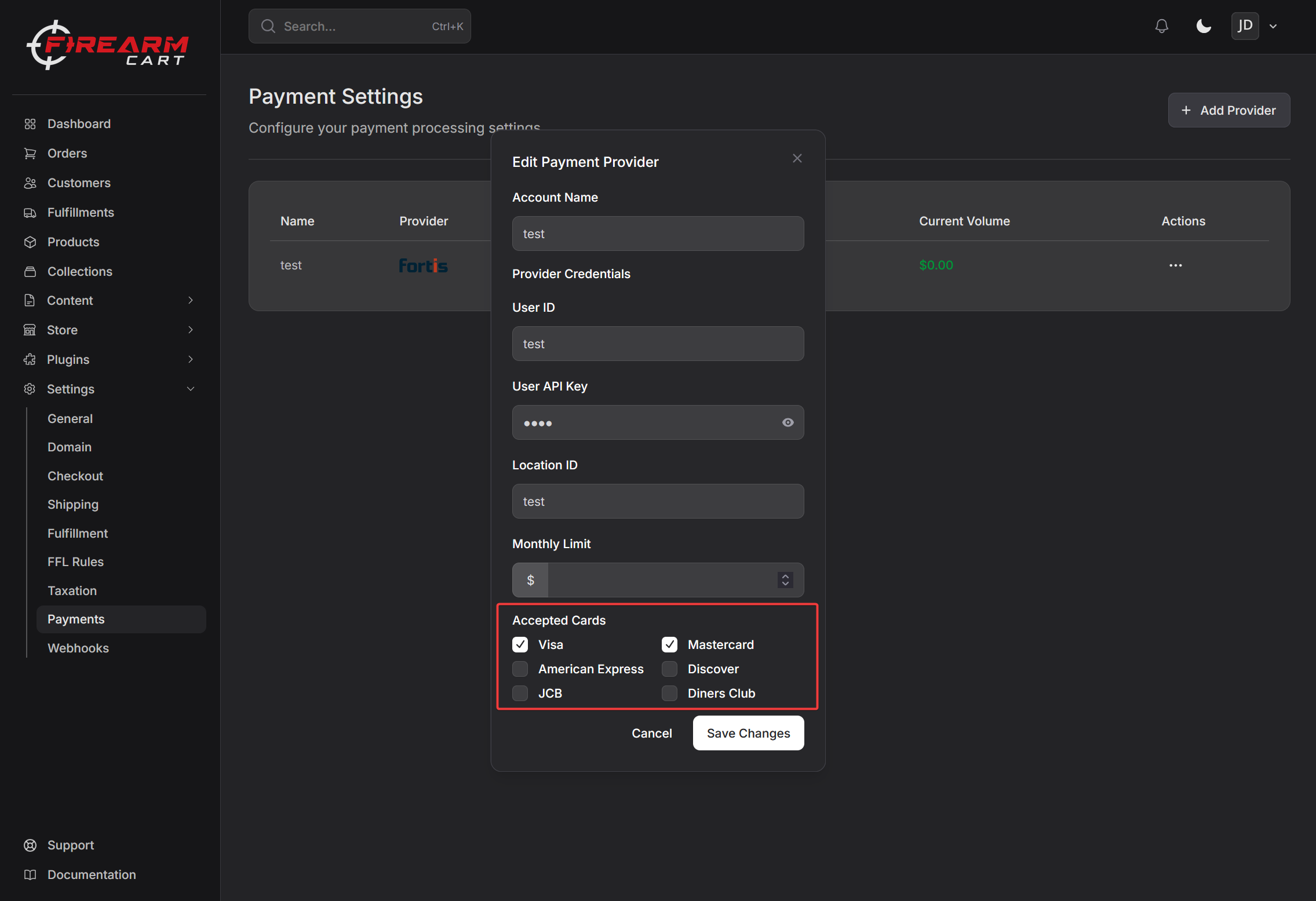
Accepted Card Types
Choose which cards to accept:
- Visa
- Mastercard
- American Express
- Discover
- JCB
- Diners Club
Most stores accept Visa, Mastercard, American Express, and Discover at minimum.
Sandbox Testing
The Sandbox provider lets you test checkout end-to-end without processing real payments. Add it the same way as a live provider (Settings > Payments > Add Provider > Sandbox), then use the card numbers below at checkout.
Use any future expiration date and any 3–4 digit CVV.
Approved Cards
These cards always succeed.
| Brand | Number |
|---|---|
| Visa | 4111 1111 1111 1111 |
| Mastercard | 5555 5555 5555 4444 |
| American Express | 3782 822463 10005 |
| Discover | 6011 1111 1111 1117 |
| JCB | 3530 1113 3330 0000 |
| Diners Club | 3056 9309 0259 04 |
Decline Cards
Each card simulates a specific decline reason returned by real processors.
| Number | Decline Reason |
|---|---|
4000 0000 0000 0002 |
Insufficient funds |
5100 0000 0000 0511 |
Insufficient funds (Mastercard) |
4000 0000 0000 0028 |
Lost card |
4000 0000 0000 0036 |
Stolen card |
4000 0000 0000 0069 |
Expired card |
4000 0000 0000 0127 |
Invalid CVV |
4000 0000 0000 0101 |
Do not honor |
4000 0000 0000 0119 |
Invalid card number |
4000 0000 0000 0259 |
Exceeds withdrawal limit |
4000 0000 0000 0333 |
Suspected fraud |
4000 0000 0000 0341 |
Restricted card |
4000 0000 0000 0358 |
Transaction not permitted |
4000 0000 0000 0366 |
Invalid expiration date |
4000 0000 0000 0374 |
Issuer unavailable |
4000 0000 0000 0408 |
Velocity limit exceeded |
4000 0000 0000 0416 |
AVS failure |
Gateway Error Cards
These simulate gateway-level failures (network, timeout, etc.) rather than card declines.
| Number | Scenario |
|---|---|
4000 0000 0000 9995 |
Gateway timeout |
4000 0000 0000 9996 |
Network error |
4000 0000 0000 9997 |
Configuration error |
4000 0000 0000 9998 |
Processing error |
4000 0000 0000 9999 |
General error |
3D Secure Cards
| Number | Behavior |
|---|---|
4000 0000 0000 3220 |
Authentication required |
4000 0000 0000 3238 |
Authentication successful |
4000 0000 0000 3246 |
Authentication failed |
4000 0000 0000 3253 |
Attempts processing |
Note: The Sandbox provider is for testing only. Deactivate or delete it before going live so real customers can't be routed to it.
Troubleshooting
Payments Failing
- Verify API credentials are correct
- Check your provider dashboard for errors
- Ensure your provider account is in good standing
Provider Not Showing at Checkout
- Make sure the provider is Active
- Check that at least one card type is selected
Credentials Rejected
- Double-check for typos
- Verify you're using live credentials (not test)
- Make sure your provider account is fully activated
Related Documentation
- Checkout Settings - Configure checkout options
- Billing - Your FirearmCart subscription
- Getting Started - Complete setup guide