

FFL Rules Configuration
The FFL Rules settings page allows you to configure which products require FFL transfers and which states or product categories are restricted from shipping.
Accessing FFL Rules
Navigate to Settings > FFL Rules in your admin panel.
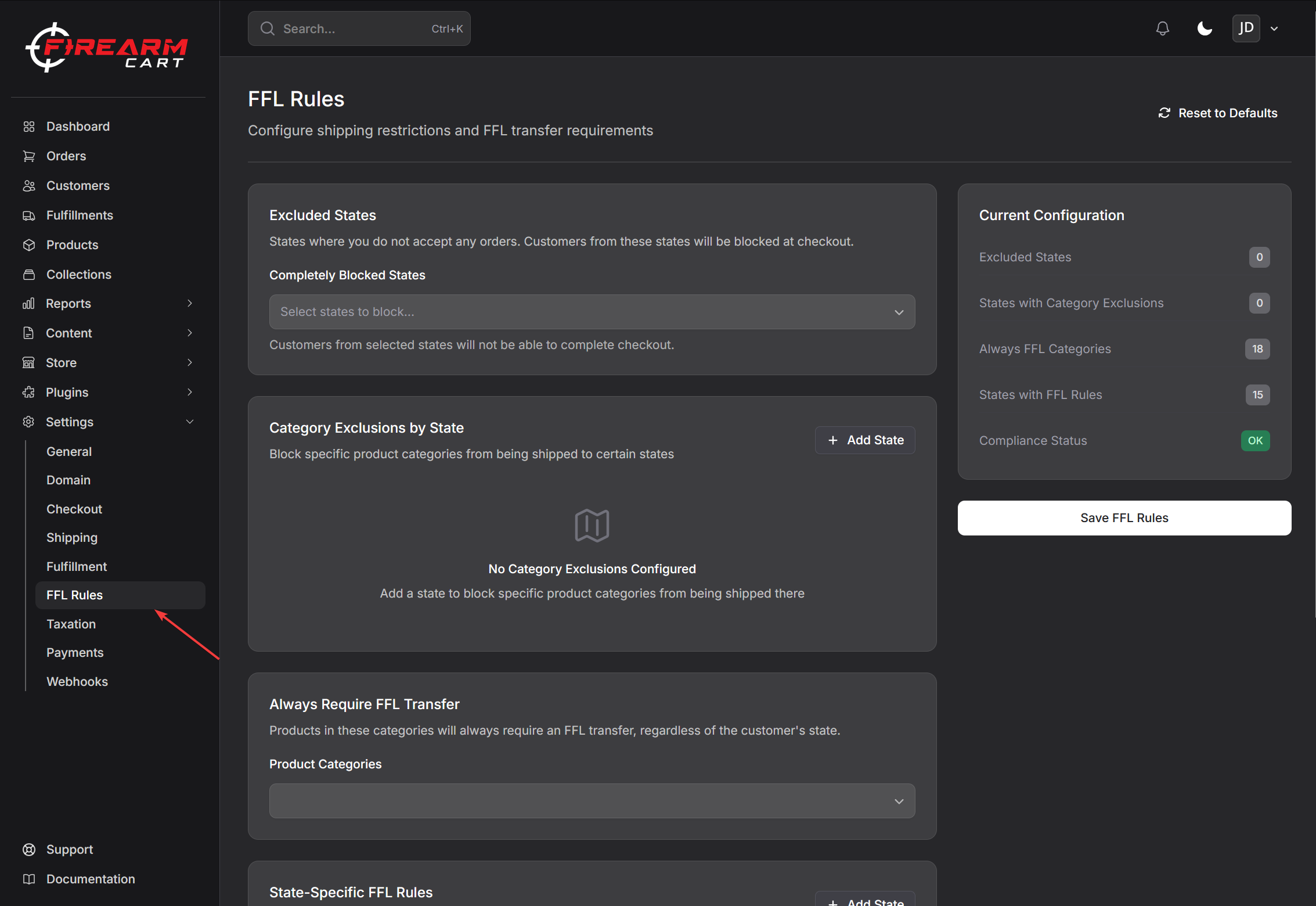
Configuration Sections
Excluded States
Block entire states from placing orders. Customers from these states will see an error message at checkout and will be unable to complete their purchase.
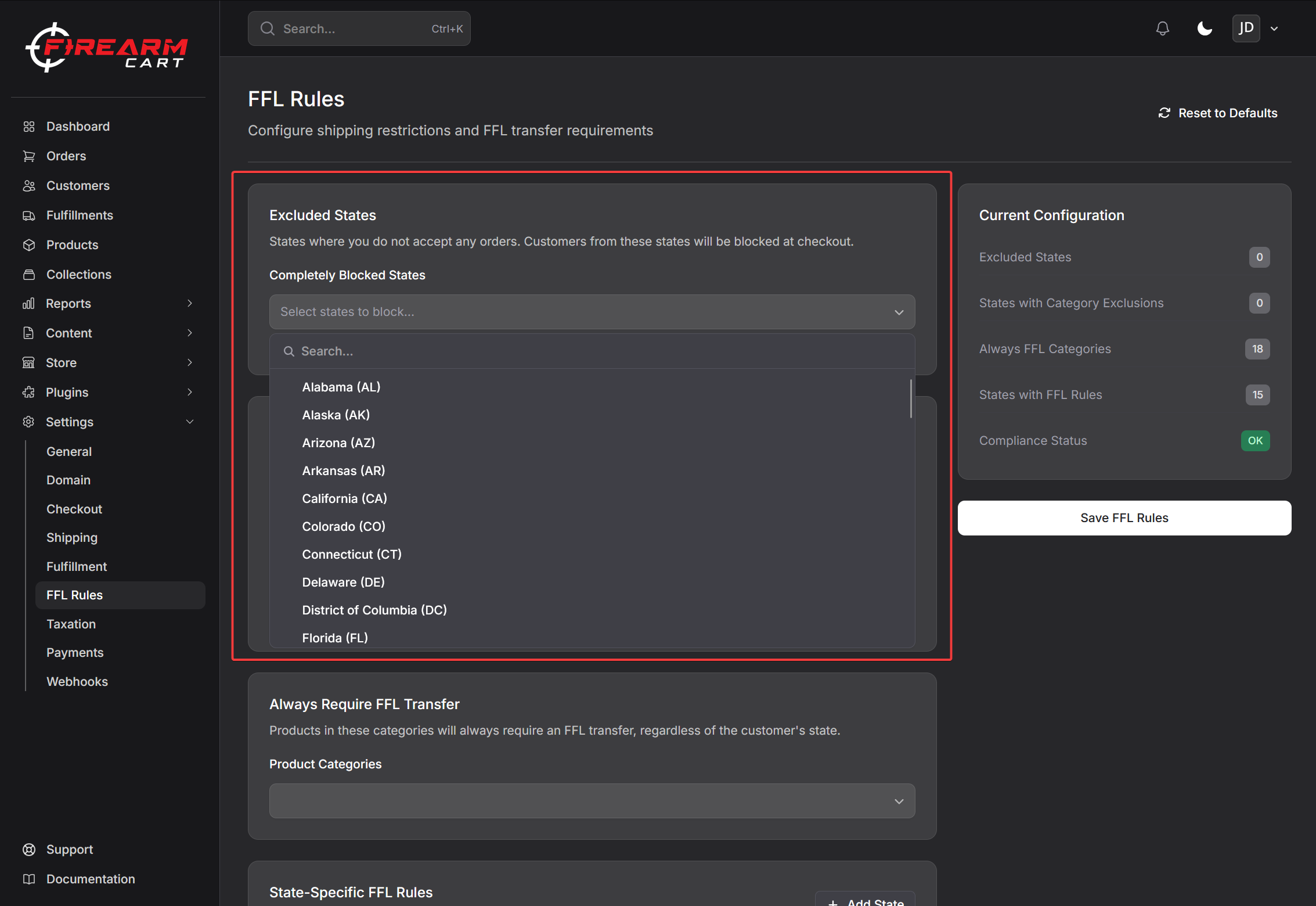
Use this feature for states where you choose not to ship any products due to:
- Complex regulatory requirements
- Shipping restrictions
- Business decisions
Category Exclusions by State
Block specific product categories from being shipped to certain states. Unlike excluded states, customers from these states can still purchase other products.
Example use cases:
- Block ammunition sales to California
- Block high-capacity magazines to states with capacity limits
- Block assault-style weapons to states with assault weapon bans
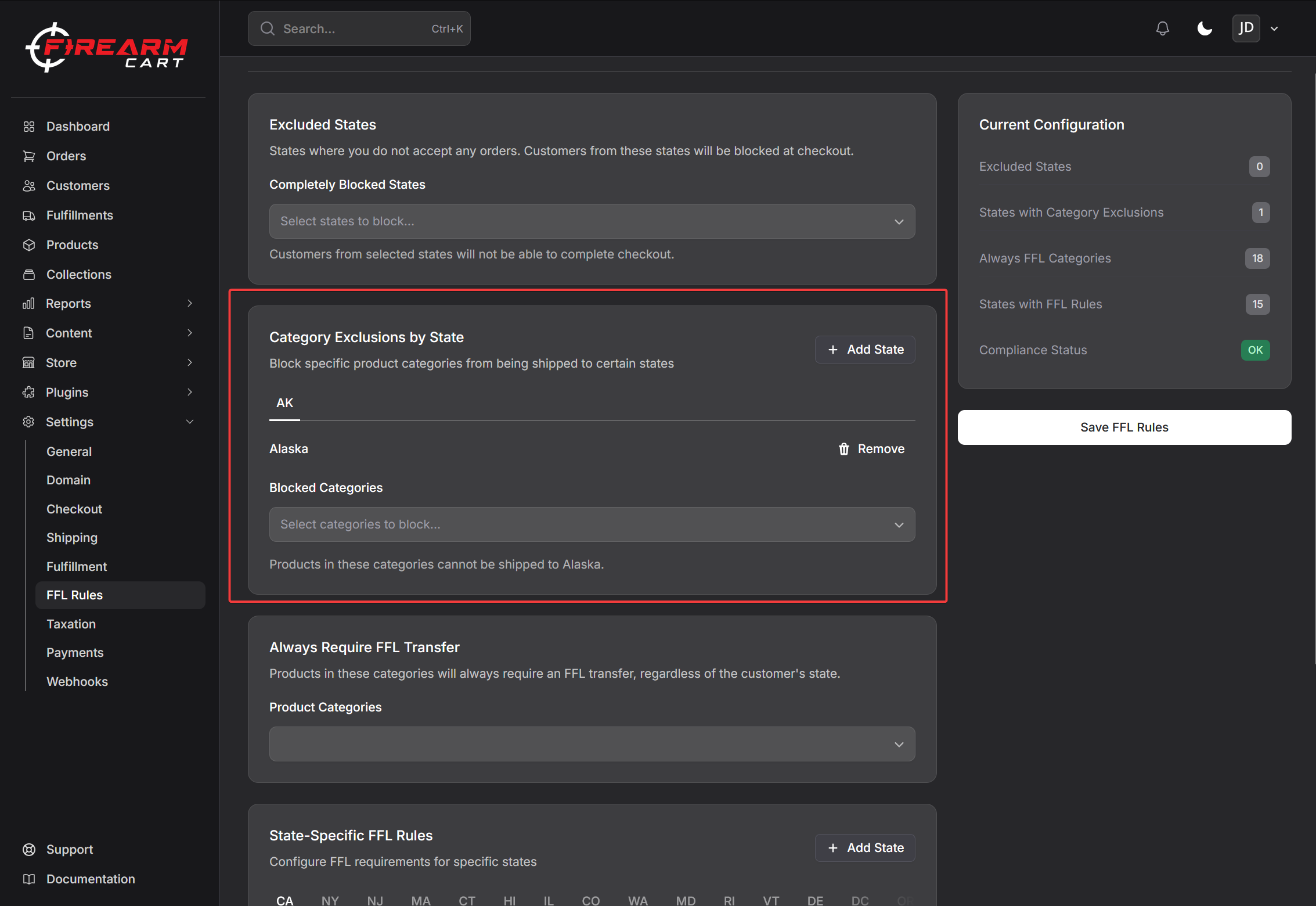
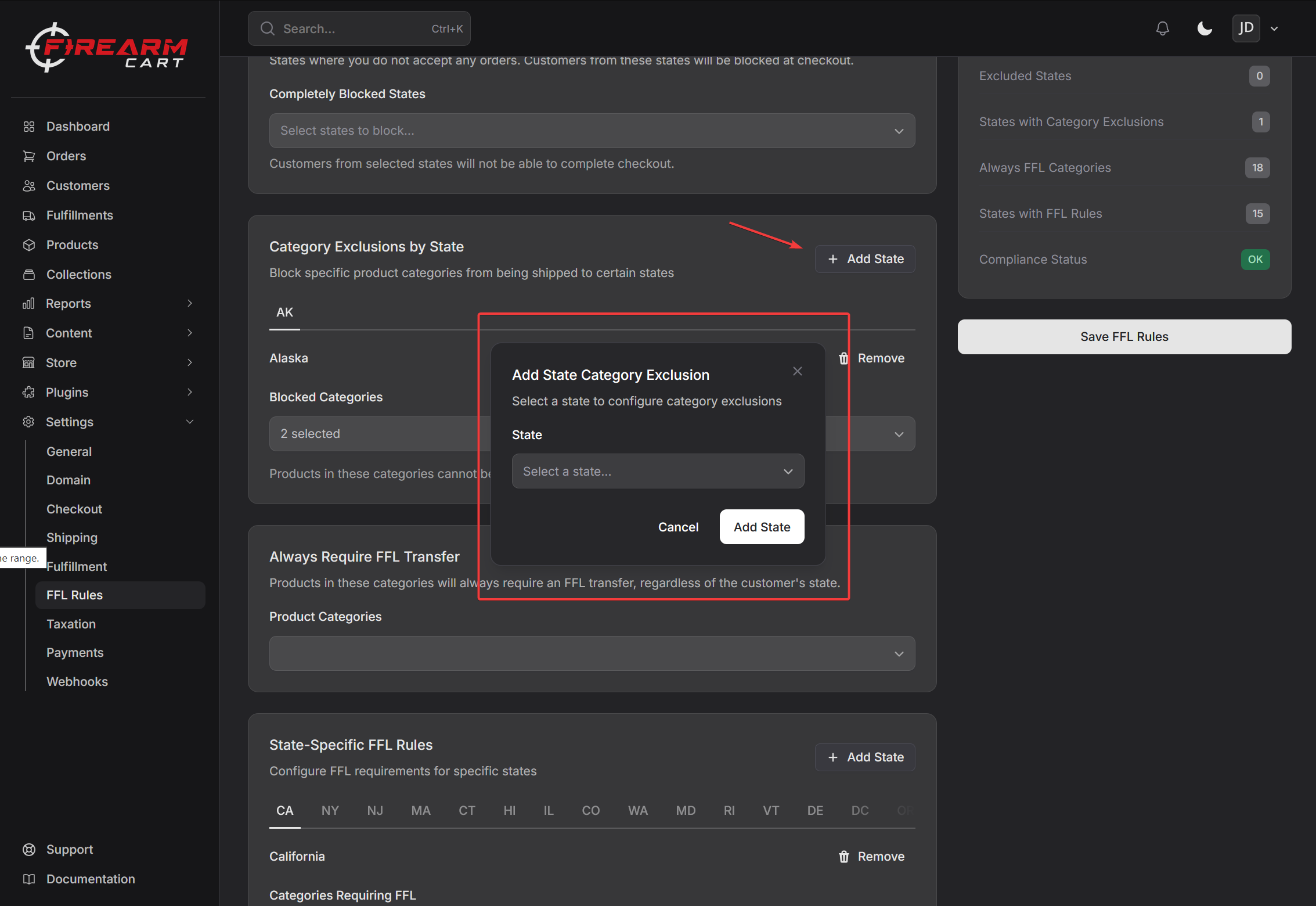
To add a state exclusion:
- Click "Add State"
- Select the state from the dropdown
- Choose which product categories cannot be shipped to that state
- Save your settings
Always Require FFL Transfer
Configure which product categories always require an FFL transfer, regardless of the customer's state. This typically includes:
- Handguns
- Long guns (rifles, shotguns)
- NFA products
- Receivers and frames
- Suppressors
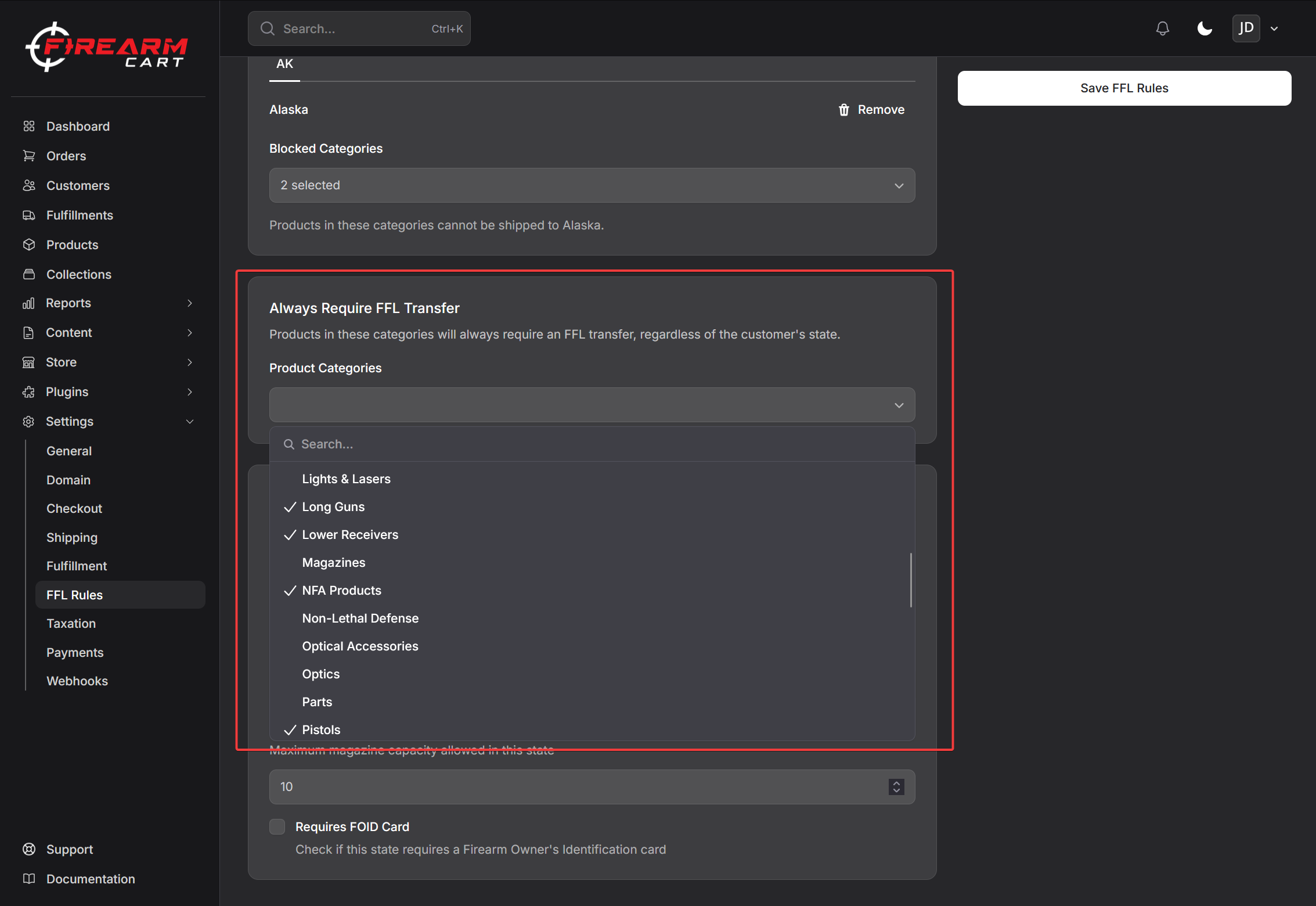
These products will require the customer to select an FFL dealer during checkout.
State-Specific FFL Rules
Configure FFL requirements that apply only to specific states. For each state, you can set:
Categories Requiring FFL Products in these categories will require an FFL transfer only when shipping to this specific state.
Magazine Capacity Limit The maximum magazine capacity allowed for products shipped to this state. Products with magazine capacities exceeding this limit will trigger restrictions at checkout.
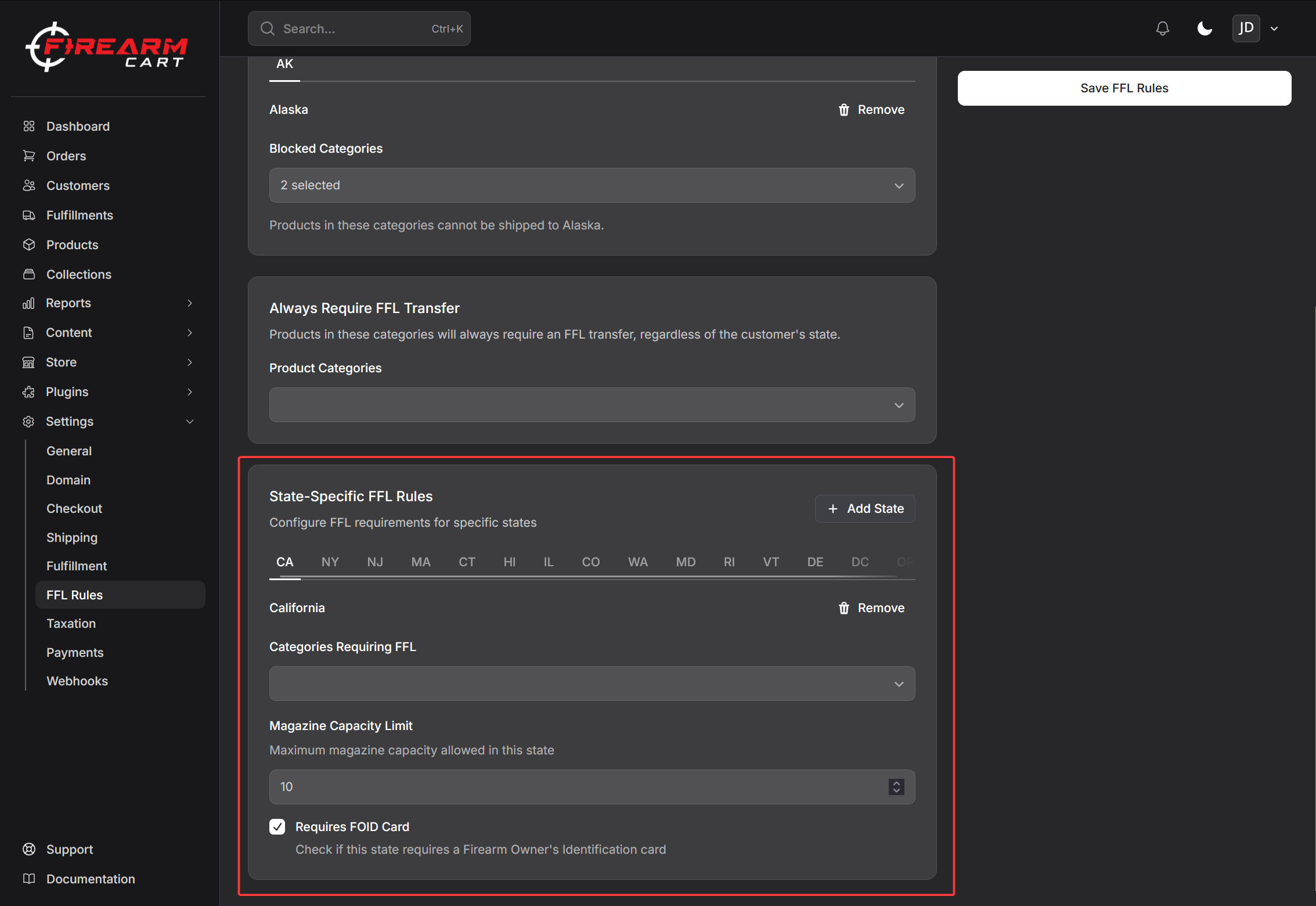
FOID Requirement Check this if the state requires a Firearm Owner's Identification card (currently applicable to Illinois). When enabled for a state:
Customer Experience:
- After completing checkout, customers shipping to FOID-required states will see an upload prompt on the order confirmation page
- Customers can also upload their FOID card by visiting their order details page (linked in the order confirmation email)
- The upload supports JPG, PNG, GIF, and PDF formats up to 10MB
- Once uploaded, a green confirmation message replaces the upload prompt
Admin Experience:
- On the Order Details page, you can see how many files the customer has uploaded
- Click the files count to open a modal showing all customer files (FOID cards, licenses, etc.)
- Click any file to preview it directly in the admin panel
- Files are also visible on the Customer Details page
Note: FOID requirements only apply when the order is shipping to an FFL dealer. Orders without FFL transfers do not require FOID uploads.
Compliance Warnings
The system will display warnings if your FFL rules are less restrictive than the default federal guidelines. While you can proceed with less restrictive rules, be aware of:
- Federal regulations that apply regardless of your settings
- State-specific laws that may require stricter compliance
- Liability considerations for your business
Default Rules
Your FFL rules are pre-populated with federal defaults when your store is created. These defaults include:
- Standard product categories requiring FFL (firearms, receivers, etc.)
- Common state restrictions (magazine capacity limits, ammunition requirements)
You can reset to these defaults at any time using the "Reset to Defaults" button.
How Rules Are Applied
When a customer checks out:
- State Exclusion Check: If their shipping state is completely excluded, checkout is blocked
- Category Exclusion Check: If any cart items are in excluded categories for their state, those items are flagged
- FFL Requirement Check: If any items require FFL (globally or for their state), the FFL selection step is shown
- Attribute Checks: Magazine capacity and action type restrictions are validated
Related Settings
- Checkout Settings - Configure when FFL information is collected
- Shipping Firearms - Learn about compliant shipping practices
- FFL Directory - Manage FFL dealer locations