

Contact Us
Need help? We're here for you. FirearmCart provides a comprehensive support ticket system to ensure your questions are tracked and answered efficiently.
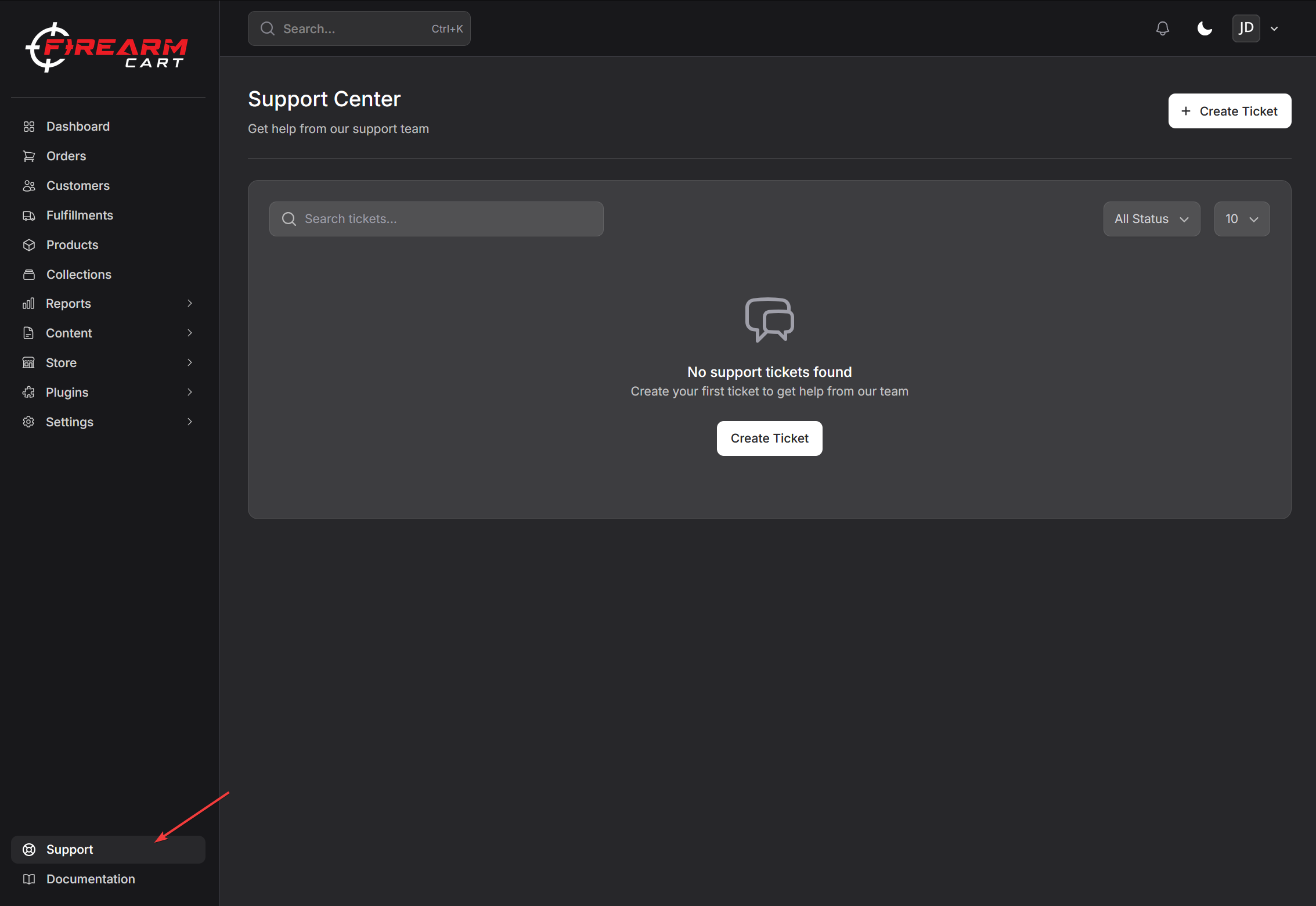
Support Ticket System
Creating a Support Ticket
The primary way to get help is through our built-in support ticket system:
- Navigate to Support in your dashboard
- Click Create Ticket
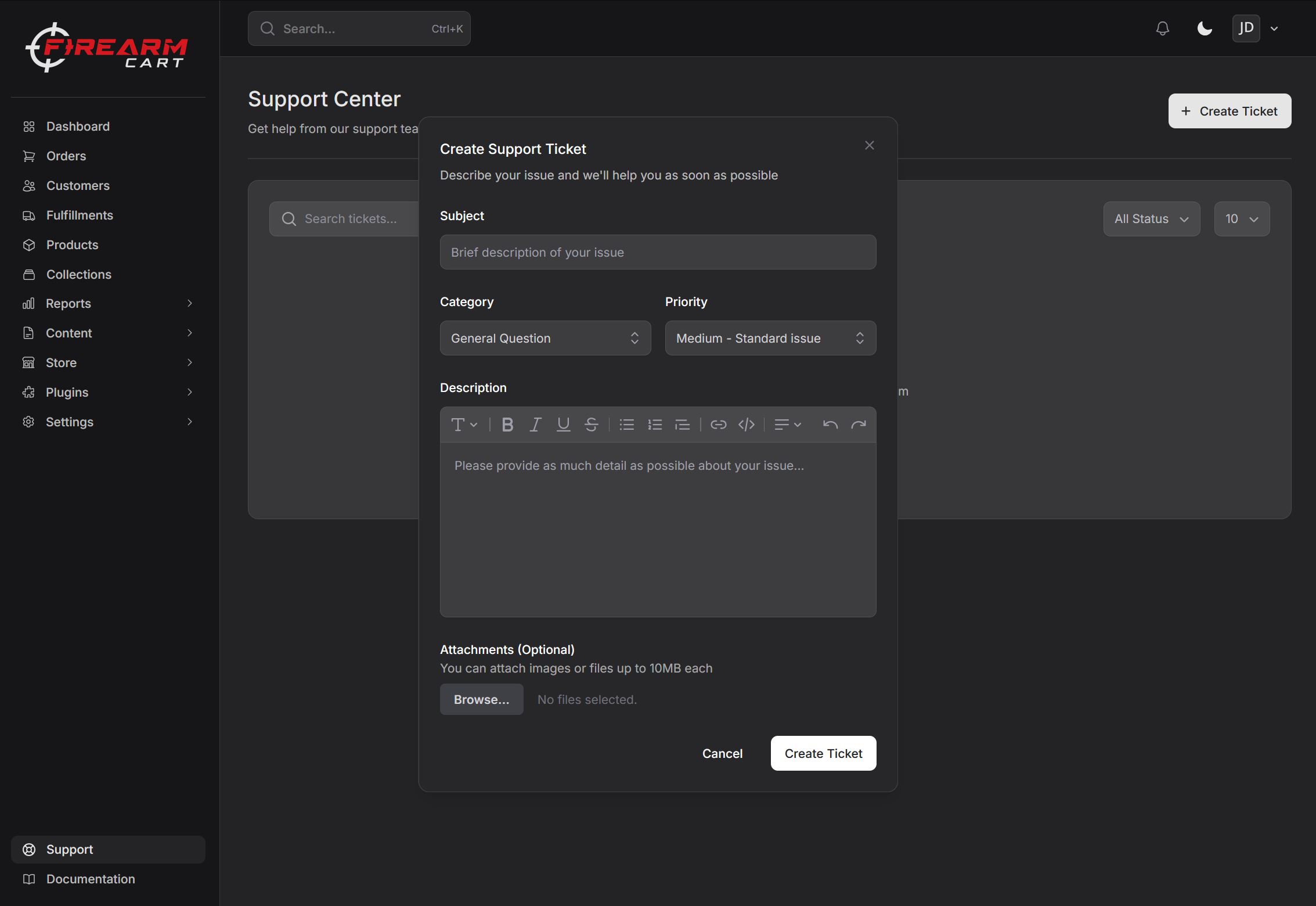
- Fill in the ticket details:
- Subject - Brief description of your issue
- Description - Detailed explanation (minimum 10 characters)
- Category - Select the appropriate category
- Priority - Set urgency level
- Attach files if needed (max 10MB per file)
- Submit your ticket
Ticket Categories
| Category | Use For |
|---|---|
| General | General questions and inquiries |
| Technical | Technical issues, bugs, errors |
| Billing | Subscription, payments, invoices |
| Feature Request | Suggest new features |
| Bug Report | Report software bugs |
| Other | Anything else |
Priority Levels
| Priority | When to Use |
|---|---|
| Low | General questions, no urgency |
| Medium | Standard issues (default) |
| High | Important issues affecting operations |
| Urgent | Critical issues, store down, payment failures |
Ticket Features
| Feature | Description |
|---|---|
| Unique ticket number | Each ticket gets a TKT-XXXXXXXX number |
| File attachments | Attach screenshots, documents (max 10MB each) |
| Message thread | Back-and-forth conversation on your ticket |
| Real-time updates | See responses as they happen |
| Status tracking | Track your ticket through resolution |
| Satisfaction rating | Rate your support experience |
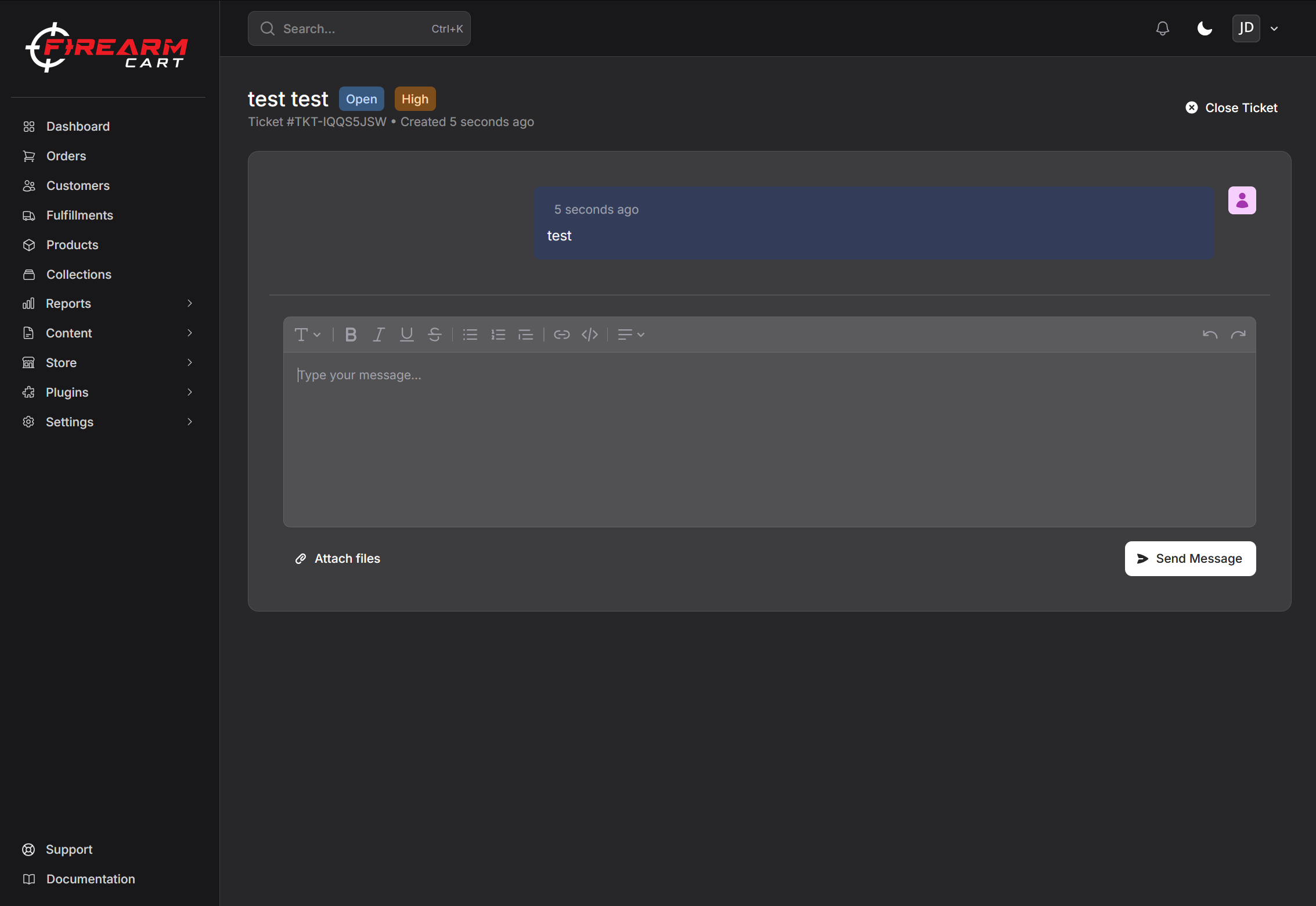
Viewing Your Tickets
Ticket List
Access all your tickets at Support in the main navigation:
- View all open, pending, and resolved tickets
- See unread message indicators
- Filter by status
- Search by ticket number or subject
- Sort by last reply date
Ticket Statuses
| Status | Meaning |
|---|---|
| Open | Ticket submitted, awaiting response |
| Pending | Waiting for additional information |
| Resolved | Issue has been resolved |
| Closed | Ticket is closed |
Responding to Tickets
- Open your ticket from the Support page
- Read the latest response
- Type your reply in the message box
- Attach any additional files if needed
- Click Send
Note: Replying to a closed ticket will automatically reopen it.
Help Center
URL: Your documentation is available in the Help section
Best for:
- Self-service answers
- Step-by-step guides
- Quick reference
Resources available:
- Getting started guides
- Feature documentation
- Troubleshooting articles
- Best practices
Response Times
Expected Response Times
| Priority | First Response |
|---|---|
| Urgent | 1-4 hours |
| High | 4-12 hours |
| Medium | 24 hours |
| Low | 48 hours |
Factors Affecting Response
- Current support volume
- Issue complexity
- Information provided
- Ticket priority level
Getting Faster Help
What to Include
For the fastest resolution, include in your ticket:
| Information | Why It Helps |
|---|---|
| Detailed description | Explains the full issue |
| Error messages | Exact text or screenshots |
| Steps to reproduce | We can recreate the issue |
| When it started | Helps identify cause |
| What changed | Recent updates or changes |
Example Good Support Ticket
Subject: Orders not syncing to ShipStation since yesterday
Description:
Orders placed after 2:00 PM EST yesterday are not appearing
in ShipStation. Orders before that time synced fine.

I've already tried:
- Checking the integration status (shows connected)
- Clicking "Sync now" (no new orders appear)
- Verifying ShipStation is receiving from other sources (it is)

Screenshot of integration settings attached.
Example Poor Support Ticket
Subject: Help
Description:
Something is broken. Please fix.
Satisfaction Rating
After your ticket is resolved, you can rate your support experience:
- Open your resolved ticket
- See the satisfaction rating prompt
- Select 1-5 stars
- Optionally add feedback
- Submit your rating
Your feedback helps us improve our support quality.
Specialized Support
Technical Issues
For technical problems:
- Check Troubleshooting first
- Create a support ticket with category Technical
- Include error messages and screenshots
- Note any recent changes made
Billing Questions
For billing issues:
- Navigate to Settings > Billing
- Review current invoices
- Check payment method status
- Create a support ticket with category Billing
Common billing topics:
- Invoice questions
- Plan changes
- Payment failures
- Refund requests
Compliance Questions
For FFL and compliance:
- Review FFL Compliance docs
- Consult ATF resources for regulations
- Create a support ticket for platform-specific questions
Note: FirearmCart provides platform support. For legal compliance advice, consult with your attorney or compliance officer.
Feature Requests
Have an idea to improve FirearmCart?
- Create a support ticket with category Feature Request
- Describe the feature you'd like
- Explain the problem it would solve
- Include any examples or references
We review all feature requests and prioritize based on customer demand.
Bug Reports
Found a bug?
- Create a support ticket with category Bug Report
- Describe what happened vs. what you expected
- Include steps to reproduce
- Attach screenshots or screen recordings
- Set priority based on impact
Escalation
When to Escalate
If your issue isn't resolved:
| Situation | Action |
|---|---|
| No response | Reply to ticket asking for update |
| Unsatisfied with resolution | Reply requesting supervisor review |
| Critical business impact | Set priority to Urgent, reply with details |
How to Escalate
- Reply to your existing support ticket
- Explain why the current resolution isn't sufficient
- Provide any additional context
- Our team will review and respond
Feedback
How to Provide Feedback
We value your input:
| Feedback Type | How to Submit |
|---|---|
| Product feedback | Support ticket (General category) |
| Support rating | Rate your ticket after resolution |
| Feature ideas | Support ticket (Feature Request category) |
| Bug reports | Support ticket (Bug Report category) |
What Happens with Feedback
- All feedback is reviewed
- Common requests are prioritized
- Feature roadmap updated regularly
- Bug reports investigated promptly
Quick Reference
Ticket Categories at a Glance
| Need | Category |
|---|---|
| General questions | General |
| Something broken | Technical |
| Payment/subscription | Billing |
| New feature idea | Feature Request |
| Found a bug | Bug Report |
| Anything else | Other |
Priority Guide
| Situation | Priority |
|---|---|
| Just curious | Low |
| Need help but not urgent | Medium |
| Affecting my business | High |
| Store down, can't process orders | Urgent |
Related Documentation
- FAQ - Common questions and answers
- Troubleshooting - Self-service solutions
- Getting Started - New user guide