

Creating Products
Add products to your store with pricing, images, and specifications.
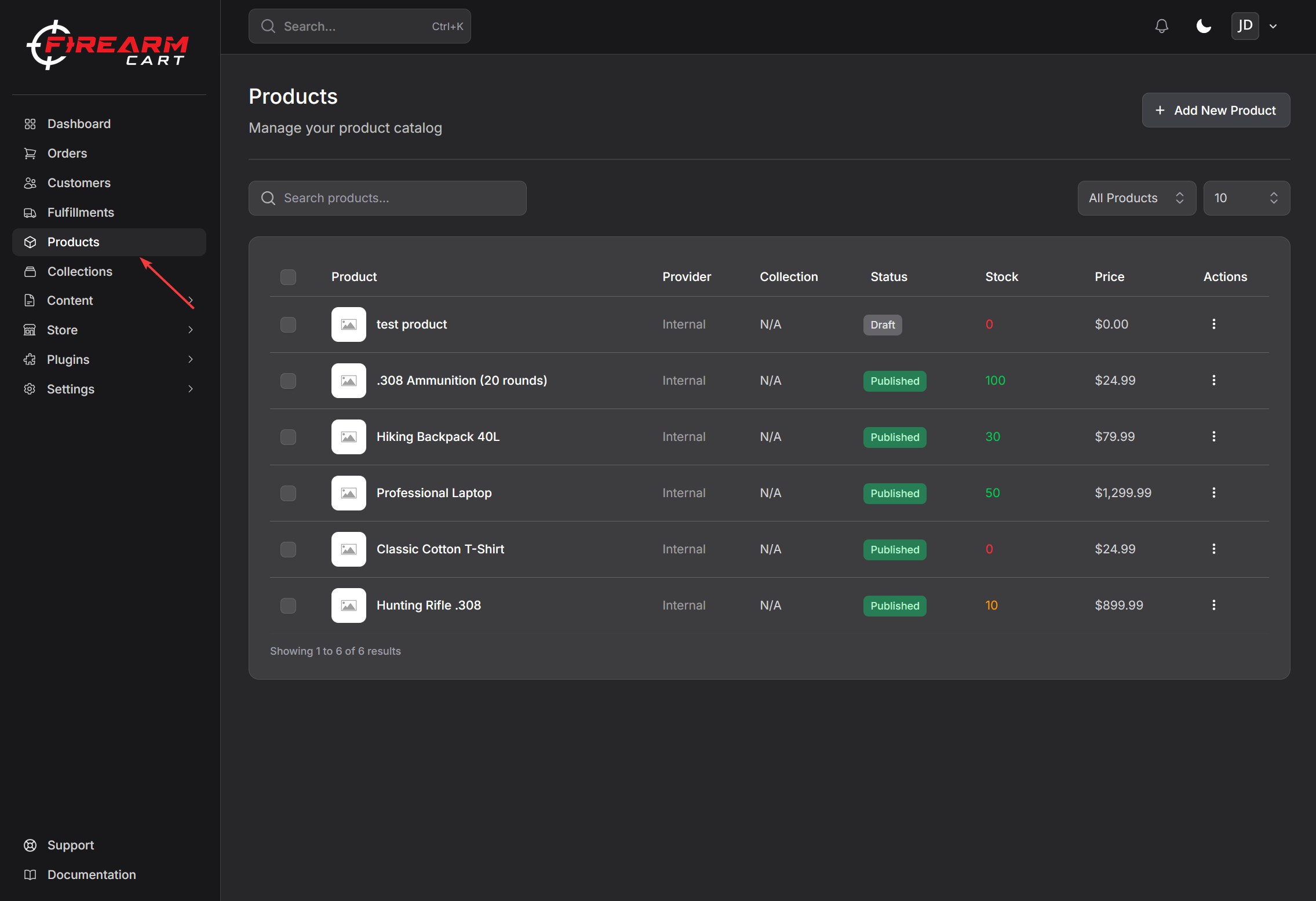
Adding a New Product
- Navigate to Products
- Click Add New Product
- Enter product name
- Click Create
- Fill in product details
- Click Save Product
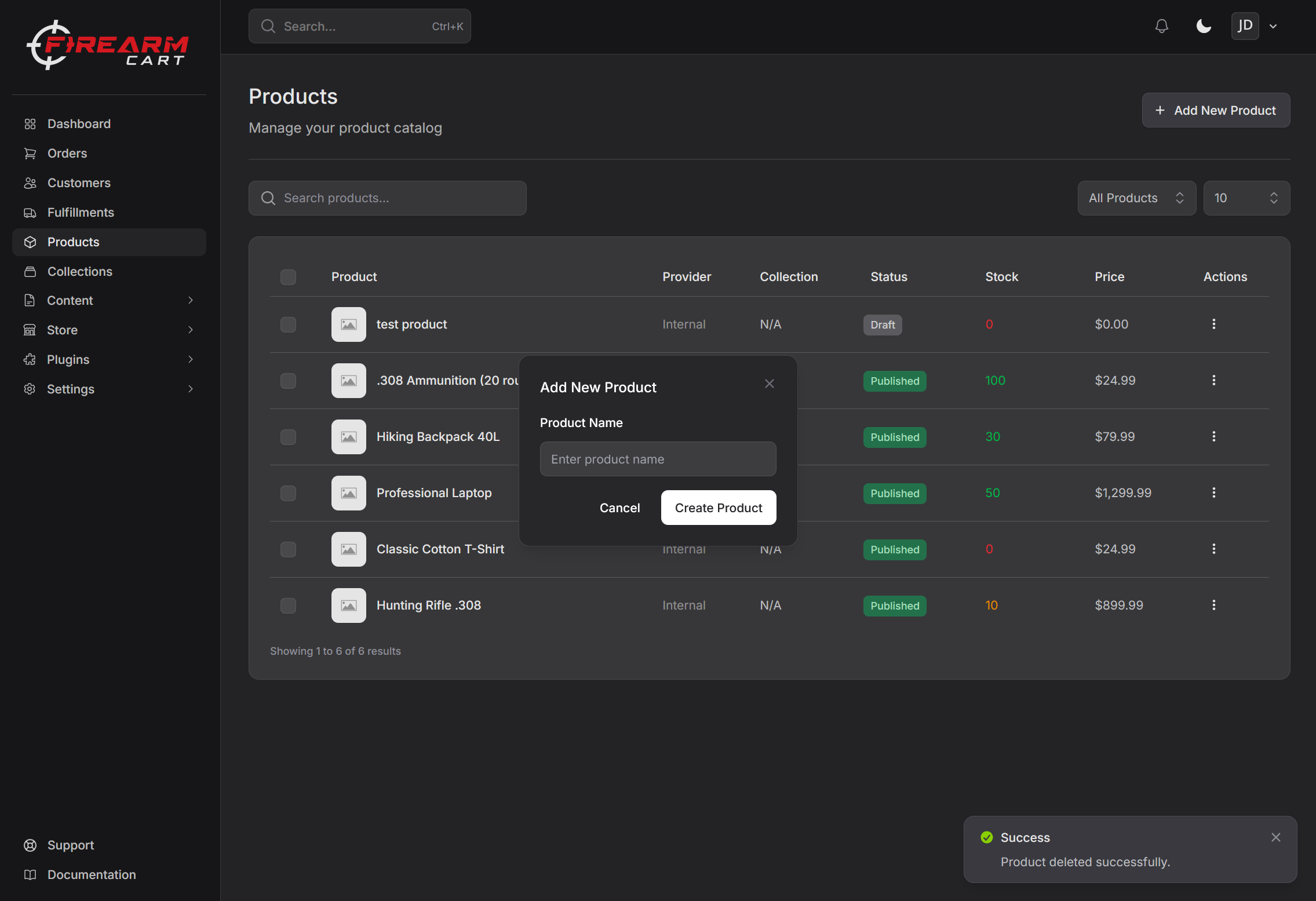
Basic Information
Product Name
The product name displayed to customers.
Examples:
- "Glock 19 Gen 5 9mm Pistol"
- "Federal American Eagle 9mm 115gr FMJ - 50 Rounds"
Description
Enter a detailed product description. You can use the Generate with AI button to create a description automatically.
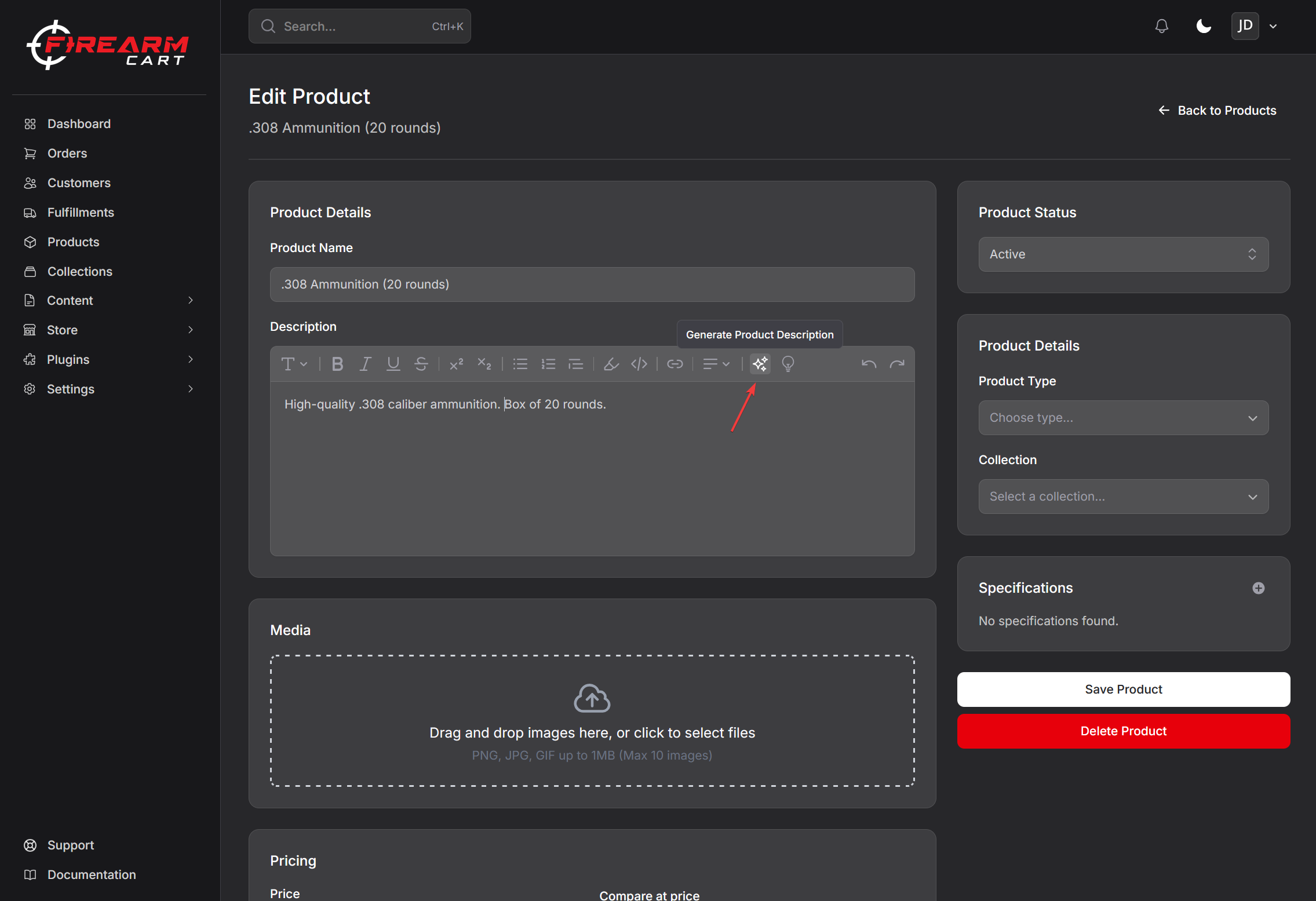
Product Type
A text label for the type of product (e.g., "Handgun", "Rifle", "Ammunition", "Accessory").
Pricing
| Field | Description |
|---|---|
| Price | The selling price customers pay |
| Compare at Price | Original price shown crossed out (for sales) |
| Cost per Item | Your cost (not shown to customers) |
Profit and margin are automatically calculated when you enter cost.
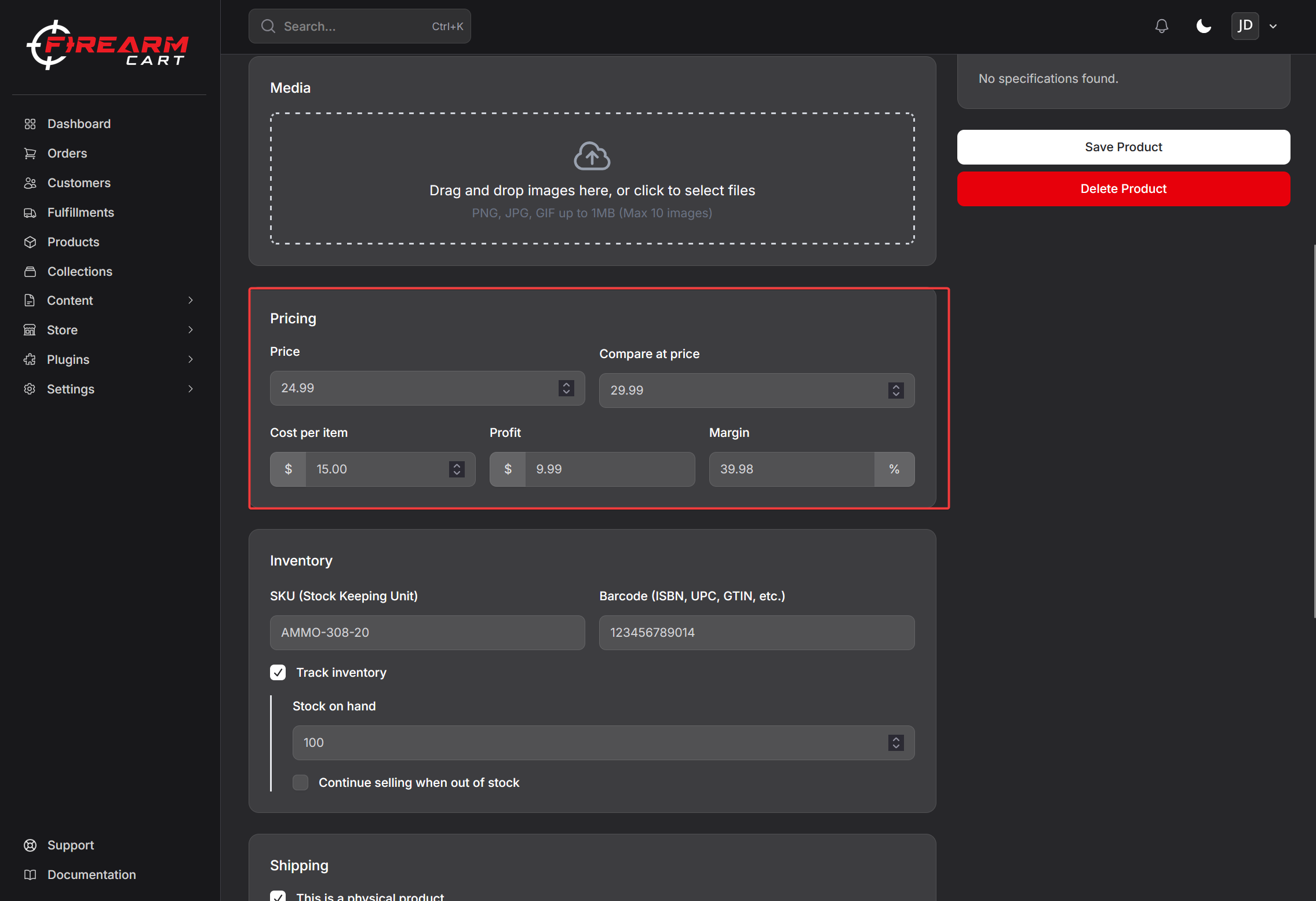
SKU and Barcode
| Field | Description |
|---|---|
| SKU | Your internal product identifier |
| Barcode | UPC/EAN barcode |
Both are searchable in the admin.
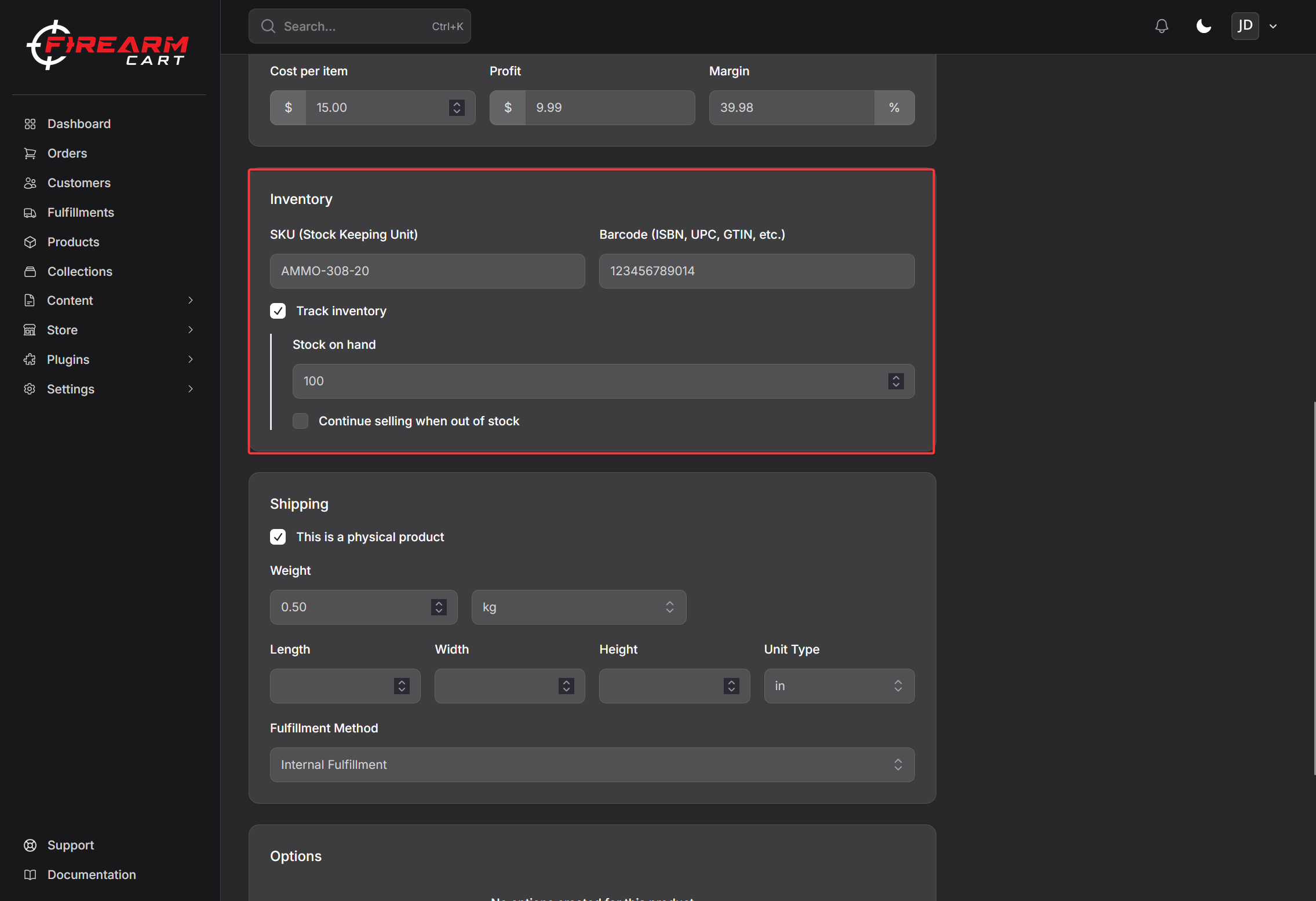
Inventory
Track Quantity
Enable to track stock levels:
- Toggle Track quantity on
- Enter current Stock quantity
- Optionally enable Continue selling when out of stock for backorders
Specifications
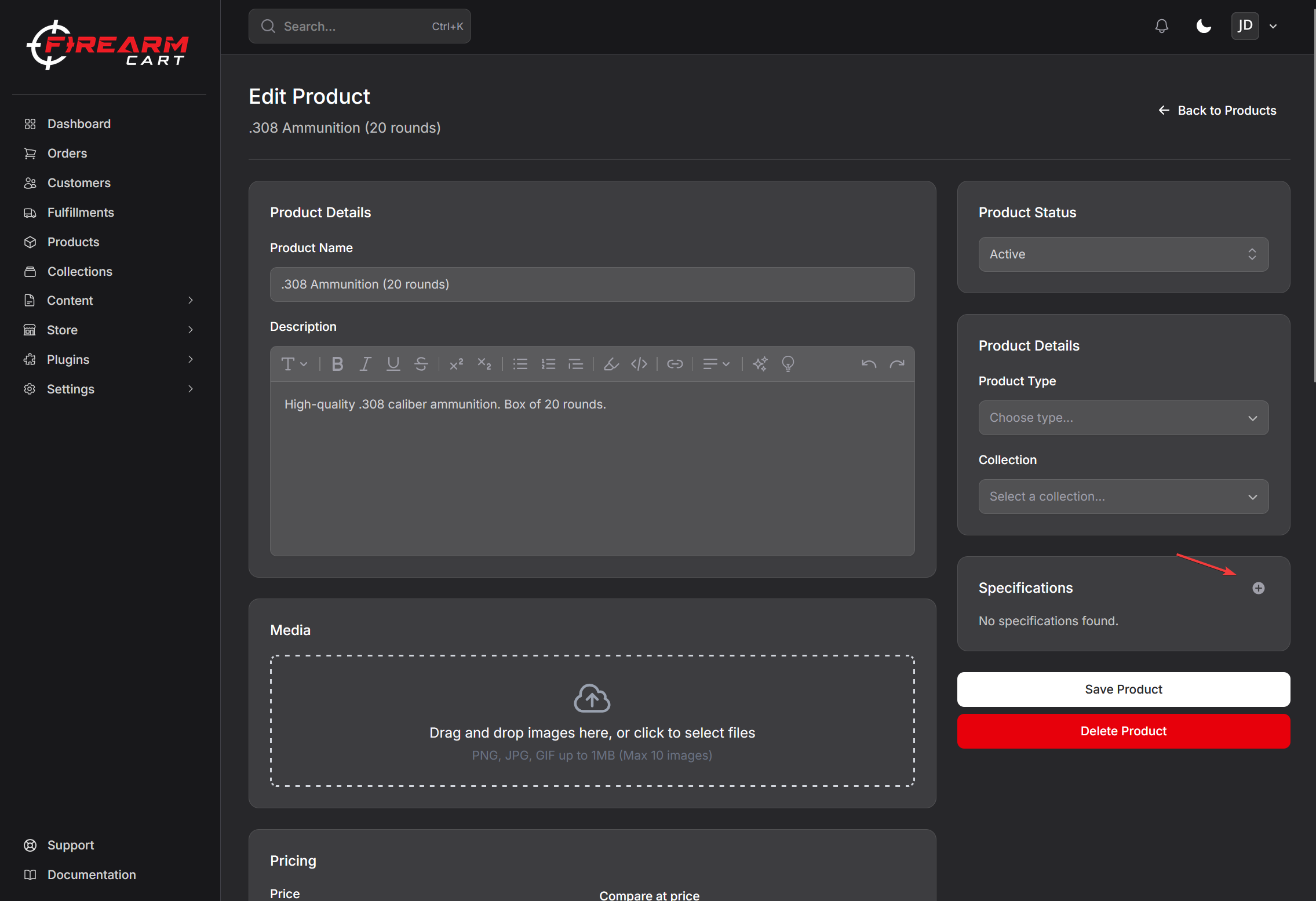
Add custom specifications as key-value pairs:
- Click + next to Specifications
- Choose or enter a specification name
- Enter the value
- Click Save
Examples:
- Caliber: 9mm
- Barrel Length: 4.02"
- Capacity: 15+1
Shipping
Weight and Dimensions
Enter product weight and dimensions for shipping calculations:
| Field | Options |
|---|---|
| Weight | lb, kg, oz, g |
| Dimensions | in, cm, mm |
Physical Product
Toggle This is a physical product for items that require shipping.
Tax Code
If you use Avalara for tax calculation, you can assign a tax code to the product.
- Click Select tax code
- Choose from available Avalara tax codes
- Save
Collection
Assign the product to a collection:
- Find the Collection dropdown
- Select a collection
- Save
Products can belong to one collection.
Product Status
| Status | Description |
|---|---|
| Active | Visible and purchasable on your store |
| Draft | Hidden from customers |
Toggle the Publish switch to change status.
Fulfillment
Choose how the product is fulfilled:
| Type | Description |
|---|---|
| Internal | You manage inventory and ship orders |
| Dropship | Fulfilled by a connected distributor |
For dropship products, select the distributor integration.
Related Documentation
- Product Variants - Manage product variations
- Collections - Organize products
- Inventory - Stock management
- Product Media - Images