

Tags
Use tags to categorize and organize your blog articles.
Overview
Tags help you:
- Organize articles by topic
- Help readers find related content
- Create tag-based navigation
- Improve content discoverability
Adding Tags to Articles
When Creating an Article
- Navigate to Content > Blog posts
- Click Add blog post or edit an existing article
- Find the Tags section
- Select existing tags or create new ones
- Save the article
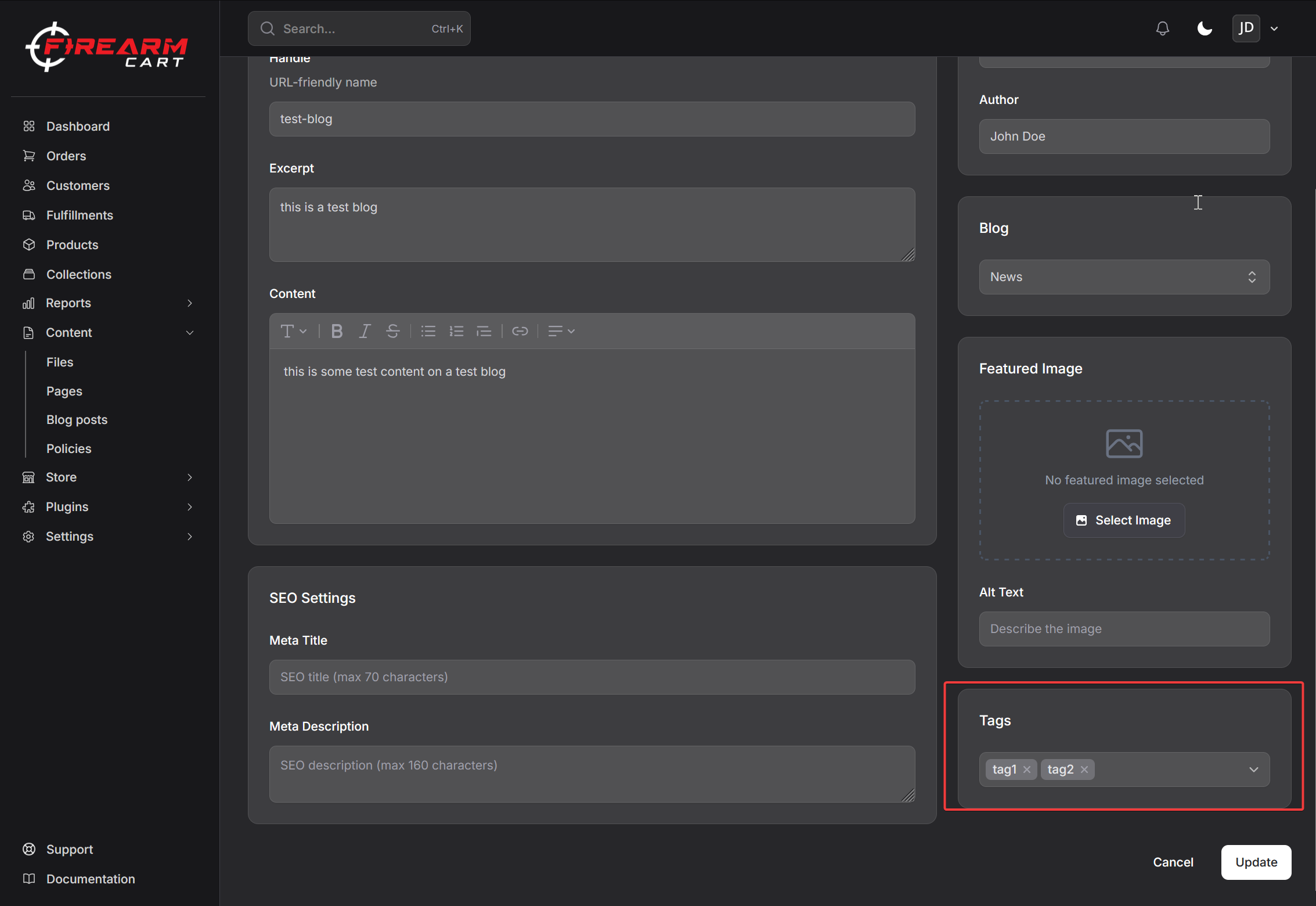
Adding Multiple Tags
Articles can have multiple tags. Select all relevant tags that apply to the content.
Example: An article about "Best Cleaning Kits for AR-15s" might have tags:
- Maintenance
- AR-15
- Accessories
- Guides
Creating New Tags
Tags are created automatically when you add them to articles:
- In the tag selection field, type a new tag name
- Press Enter or click to create
- The tag is saved and applied to the article
Tags are shared across all blogs in your store.
Tag URLs
Tagged article pages are accessible at:
/blogs/{blog-handle}/tagged/{tag-handle}
Example: /blogs/news/tagged/announcements
When customers click a tag, they see all articles in that blog with that tag.
Managing Tags
Viewing Tag Usage
Tags appear on:
- Article edit pages
- Article listings in your theme
- Tag filter pages
Removing Tags from Articles
- Edit the article
- Click the X on a tag to remove it
- Save the article
Tag Handles
Tags automatically generate URL-friendly handles:
| Tag Name | Handle |
|---|---|
| "Product Launch" | product-launch |
| "How-To Guides" | how-to-guides |
| "AR-15" | ar-15 |
Tag Display in Themes
Your store's theme controls how tags appear to customers:
On Article Pages
Tags typically display:
- Below or above the article content
- As clickable links
- With visual styling from your theme
On Blog Listing Pages
Tags may appear:
- On article cards
- As a tag cloud
- In a sidebar filter
Best Practices
Naming Tags
- Use clear, descriptive names
- Keep tags concise
- Be consistent with naming conventions
- Use sentence case or title case consistently
Tag Strategy
| Approach | Example |
|---|---|
| Topic-based | Guides, News, Reviews |
| Product-based | Handguns, Rifles, Ammunition |
| Content type | How-To, Announcement, Update |
Avoid Over-Tagging
- Use 3-5 relevant tags per article
- Don't add tags just for the sake of it
- Focus on tags that help readers find content
Consistency
- Decide on a tag naming convention
- Stick to existing tags when applicable
- Avoid creating duplicate tags (e.g., "How To" vs "How-To")
Customer Navigation
When a customer clicks a tag:
- They see all articles in that blog with the tag
- Articles are sorted by publication date (newest first)
- They can click other tags to further explore
Related Documentation
- Managing Articles - Create and edit articles
- Blog Categories - Organize posts into blogs
- SEO - Search optimization