

FFL Directory
FirearmCart includes an FFL directory that allows customers to select their preferred FFL dealer for firearm transfers at checkout.
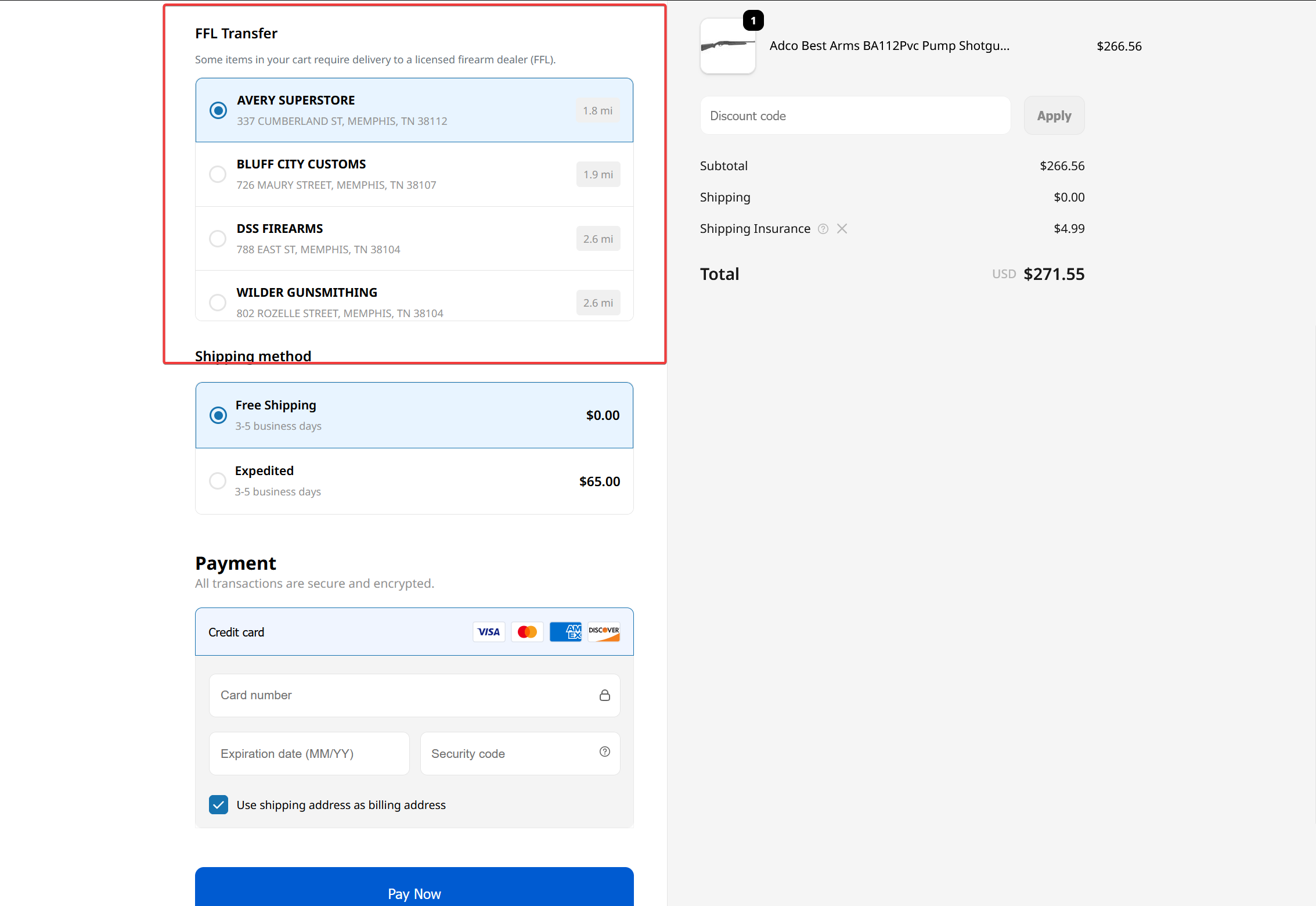
How FFL Selection Works
- Customer adds firearm to cart
- At checkout, FFL selection appears
- Customer enter their address
- Customer selects receiving FFL
- You ship to the selected FFL
- Customer picks up from FFL and completes transfer
When FFL Is Required
FFL selection appears based on your checkout settings:
| Setting | Behavior |
|---|---|
| When Required | Shows only for firearms and regulated items |
| Always | Shows for all orders |
| Never | FFL selection disabled |
Configure in Settings > Checkout.
FFL Information
Each FFL listing shows:
- Business name
- License name
- Address
- Distance (for ZIP searches)
Customer Saved FFL
Customers can have a preferred FFL saved:
- Auto-selected at checkout for returning customers
- Admins can set customer's preferred FFL in the customer profile
- Customers can change FFL during checkout
FFL on Orders
When an order contains firearms:
- Selected FFL appears in order details
- FFL address used for FFL shipping
- Separate shipping rate applied for FFL items (if split shipping enabled)
State Restrictions
FirearmCart automatically enforces state-specific requirements:
| State | Considerations |
|---|---|
| CA | Magazine capacity limits, certain firearms restricted |
| NY | Additional restrictions on semi-automatic firearms |
| NJ | Restrictions on certain firearms |
| MA | License requirements |
| CT | Certain firearms restricted |
| HI | Permit requirements |
| IL | FOID requirements |
| CO, WA | Magazine capacity restrictions |
Related Documentation
- Shipping Firearms - Shipping compliance
- Checkout Settings - FFL collection settings
- Fulfillment - Order fulfillment